
Brother Transfer Express

Brother Transfer Express

By Brother Industries, LTD.

  • Category: Utilities
  • Release Date: 2022-06-29
  • Current Version: 1.2.4
  • Adult Rating: 4+
  • File Size: 2.04 MB
  • Developer: Brother Industries, LTD.
  • Compatibility: Android, iOS 12.0

Description

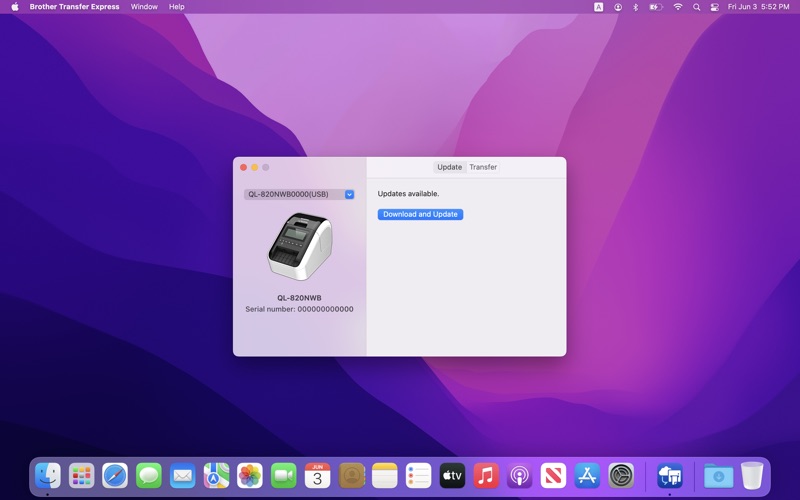
Brother Transfer Express allows you to transfer data, such as firmware or label templates, to a label printer via your Mac device. Please note that the data you can transfer depends on your model. Compatible models TD-2120N, TD-2130N,TD-2310D, TD-2320D, TD-2320DF, TD-2320DSA, TD-2350D, TD-2350DF, TD-2350DSA, TD-2350DFSA RJ-3050, RJ-3150, RJ-4040, QL-600, QL-710W, QL-720NW, QL-800, QL-820NWB, QL-1100/1100c, QL-1110NWB/1110NWBc, PT-D410, PT-D450, PT-D460BT, PT-D610BT, PT-D800W, PT-P710BT, PT-P715eBT, PT-P750W, PT-P900W/900Wc, PT-P910BT, PT-P950NW, PJ-722, PJ-723, PJ-762, PJ-763/763MFi, PJ-773, PJ-822, PJ-823, PJ-862, PJ-863, PJ-883, PT-E310BT, PT-E550W, PT-E560BT, PT-E800W
Screenshots

Reviews

  • This is how I was able to update the firmware…

    3
    By MarkXPII
    I have the PT-P750W which is listed as supported and basically kept trying things until it worked so all of these steps may not be necessary. Download and install the Editor Tool, Wireless Setup Wizard and Transfer Express. Run the wireless set up tool, the USB cable needs to be attached and my WiFi was already connected. I chose to allow it to connect to the WiFi. At some point I did launch the Editor Tool, but it did not connect at that point. I added the printer by going to Print Center (click on the + at the very bottom left (MacOS 15)); this made the PT-P750W available as a printer. At some point, I think it was with the Transfer Express open, I disconnected the USB cable and reconnected it and the printer showed up in the drop down to update - clicked the option to update the firmware and it appeared to do so. It takes a few minutes and I have no idea if there is a way to confirm it worked.
  • So broken

    1
    By captny
    Doesn’t do anything. Don’t bother.
  • What’s the point?

    1
    By LoneLocust
    Like so many other reviewers have already pointed out, despite the description, this app does not support many of the printers it says it does. I can tell you there’s new firmware, but it won’t transfer it.
  • Transfer function doesn’t work

    1
    By judge2005
    The D-410 is listed as being compatible, but actually the app says that it isn’t compatible with the transfer function
  • Doesn’t Work At All

    1
    By OSUKevin
    I was able to connect my new PT-D610BT easily (although only with the USB cable). While the Update tab seems to work, on the Transfer tab, there is message that says the transfer function is not available. Isn’t this app called TRANSFER Express? My printer is listed as compatible, so why does it not work?
  • Worthless utility

    1
    By docbehra
    Even though Brother’s own app description states my PT-D610BT is compatible with the app, and after app installation, it recognizes my printer, even updating its firmware, it then says “Printer does not support the ‘Transfer’ feature.” Oh brother!
  • Does not work with Mac v14

    1
    By somenickname-arrrg
    The printer is undiscoverable using the latest either USB or Bluetooth.
  • Terrible Documentation & Circular Support

    1
    By NFURN0
    Does not work with P-Touch Cube Plus PT-P710BT even though multiple location within Brother state it does...it even links to the Apple app store. No instruction on how to connect to the printer and when trying to connect via bluetooth, you can get a connection but the sofware does not recognize the printer. It does show it in the drop-down as USB only but the selection is not selectable (greyed out). What a waste of hardware and software...oh Brother!

keyboard_arrow_up