Pinning - Calendar Countdown

Pinning - Calendar Countdown

By Anybox LTD

  • Category: Productivity
  • Release Date: 2024-03-08
  • Current Version: 1.27.1
  • Adult Rating: 4+
  • File Size: 42.42 MB
  • Developer: Anybox LTD
  • Compatibility: Android, iOS 17.0
Score: 4.74418
4.74418
From 43 Ratings

Description

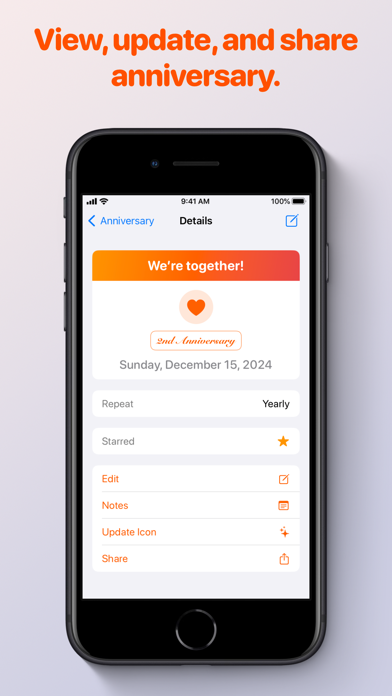
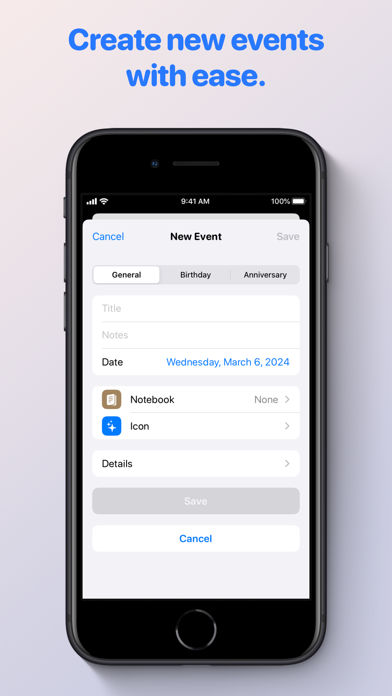
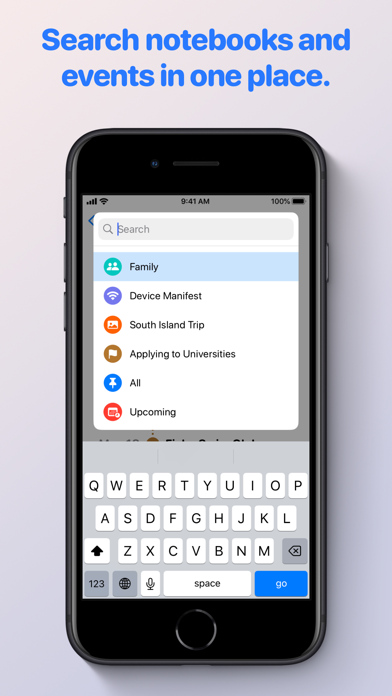
Pinning is a more powerful countdown app and a simple calendar viewer. It’s a tool to help you record life stories or track project milestones. It’s easy to create events and organize them with notebooks. Pinning also comes with built-in lists for birthdays and anniversaries. Events will be shown in timeline with self-selected icons or emojis. You can put the most important events on Home Screen or Lock Screen with beautiful widgets. Pinning supports iCloud collaboration so that you can easily share important events with family and friends. ## Features - Event countdown and count-up. - Sync upcoming calendar events and scheduled reminders. - Keep track of birthdays and anniversaries. - Organize with notebooks and tags. - Create recurring events and receive notifications. - Home Screen widgets for single event and event timeline. Lock Screen widgets for the most important events. - iCloud collaboration. - Siri Shortcuts support. - Save single event or list of events as images. - Import birthdays from birthday calendar. - Create events from calendars. Privacy Policy: https://pinning.app/privacy-policy Terms of Services: https://pinning.app/terms

Screenshots

Reviews

  • Needs tags/description on widgets

    4
    By mikey186
    I love the widgets and the way it displays, but I would wish you add some tags or description in the widgets.
  • Not so useful without paying…

    2
    By FairytaleForest
    The app sounded exciting and just what I would need personally—a better cross between the iOS calendar and reminders apps, but as soon as I went to try it, it prompted me that in order to sync my calendars over, I have to pay money for a subscription. I’m personally not against subscriptions—just subject to fatigue that everything wants your money from streaming services to planning. And, the app doesn’t offer a trial to even see if a subscription would be worth it: how can I know if the app truly would work for me if I’m not allowed to try it out all the way? In that case, all your events stay in the app—and don’t sync in any way from my understanding. I can just have my calendars sync with other services if I really want to—for free using a link to my calendar and making it shared. The only points this app truly gets is the design—it is elegant like Apple, but falls flat with not including basic functionality.
  • Fantastic App

    5
    By Ry.lock
    Love the quality, and it works on everything. Was looking around for a way to quickly / clearly view upcoming dates for certain Calendar Events, and now I’m using to list out tons of stuff. Hah. Super recommended!
  • Been looking, found it

    5
    By RL1
    Been looking for a replacement of another app I had been using that was discontinued, this app has everything I need, but especially a great widget that gives me my calendar appointments up to 9 months in advance. Just terrific, well worth the money, keep up the great work
  • Very Nice!

    5
    By Caryrabbit
    It’s crazy Apple can’t make something this useful after this many years, pretty nice! I don’t like the app icon though. Looks like an emoji, but worse.
  • Give Me Pictures and I’m In

    3
    By uberunix
    Love the concept, but I really need to be able to add a picture to each event
  • Fantastic!

    5
    By YAEngineer
    Finally, an easy to use calendar integration that actually works!
  • Very handy

    5
    By JackEber
    Sometimes all I need is a daily timeline for my day and week. This is it. With this on my homepage I can easily remember what needs to be done, and the order things need to be done in, every day. The only feature request I have is the ability to have the start time of each event show with the title. That would save me the extra step of opening the calendar to see that. I recommend this to anyone who needs an ordered list of their daily tasks.

keyboard_arrow_up