Kino - Pro Video Camera

Kino - Pro Video Camera

By Lux Optics Incorporated

Score: 4.72905
4.72905
From 1,742 Ratings

Description

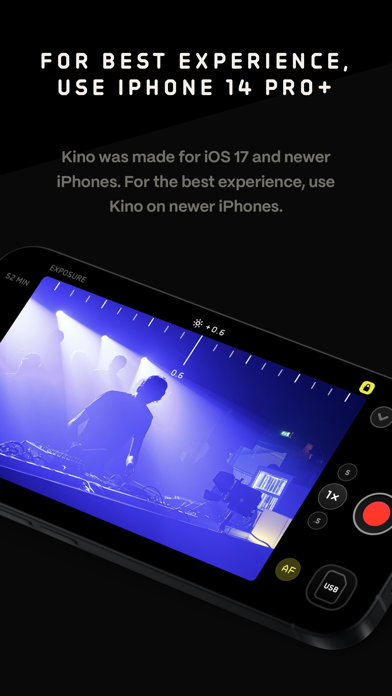
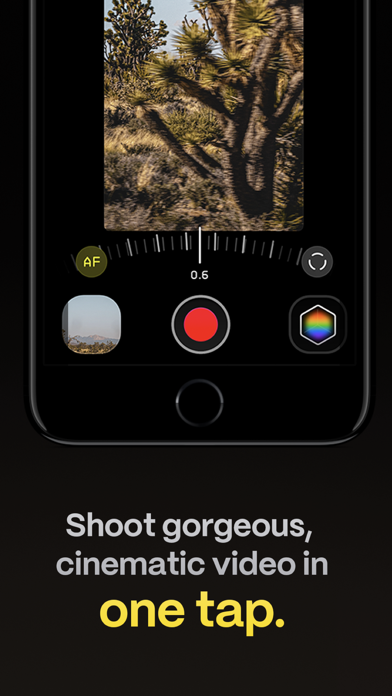
Make great video easy! Kino lets you just press record and create cinematic video with color presets created by expert filmmakers—no edit required. Plus, with “AutoMotion,” the app automatically creates that smooth "film look" you see at the movies. Shoot great video with no film school required. Are you an experienced filmmaker? Kino includes all the features you need to shoot like a Pro, such as a full manual mode, focus peaking, color waveform, audio meters, and more. If you’re experienced in color, you can import LUTs quickly and use the same powerful Instant Grade feature to output video with baked in LUTs. Regardless of your skill level, Kino adapts to your needs. Pick your experience level when setting up the app to dial things in your way or go with recommended, simple settings. The beautiful, simple interface shows only essential things, while keeping powerful features under thumb’s reach. INSTANT GRADE Kino comes packed with pro color presets by experts like Stu Maschwitz, Sandwich Video, Evan Schneider, Tyler Stalman and Kevin Ong. With one tap, you can shoot video with cinematic, film-like color by selecting a Grade preset. With Instant Grade, you don’t have to apply it later or do any editing steps: Kino just saves the processed video for you, ready to share. LEARN ALONG Getting started with video? The Kino team has a free series of lessons prepared you can dive into right away to learn filmmaking with the app. Start out with our simple recommended settings and enroll in a lesson plan to get lessons emailed to you that are easy to follow and let you unlock every feature of the app to use for making better videos. PRO TOOLS Kino’s simple interface does not mean it lacks in powerful pro tools. Start out with automatic exposure with EV adjustment and AE and WB lock, or drop into full manual mode with shutter speed, angle and ISO adjustment. Compose a shot with the grid with built in level, check exposure with the RGB waveform, and pull focus with focus peaking. Kino can store your recordings in Files instead of Photos for better and easy shot management, and even features a screen lock to prevent inadvertent taps messing up your shot. Set custom recording settings (like 4K 60FPS Apple Log ProRes422HQ on iPhone 15 Pro) or get started with presets for flexibiltiy. BEAUTIFUL INTERFACE Thoughtful touches are abound in Kino: from a screen-wide telltale ring to show you are recording, to beautiful custom typography throughout with our own bespoke fonts, Kino balances beauty and simplicity with flexibility and control for users of any skill level. AUTOMOTION Get cinematic motion like in feature films. Introducing: AutoMotion. Kino biases exposure towards a 180° shutter speed by default. If you land in this sweet spot, and available light supports it, the ‘Auto’ label turns green — showing you are in the sweet spot for great cinematic motion. Bright day out? Pop an ND filter on your iPhone and don’t worry about adjusting manual settings: Kino will take care of prioritizing shutter angle so you can just shoot and get great results. LUT FRIENDLY One of the powerful aspects of Kino is being able to download new looks from your favorite creators or your own making. Author .cube LUT files in Pixelmator Pro, Davinci Resolve, or other apps (up to 33x33) and open them in Kino with a tap. TRULY PRIVATE None of our apps gather or collect data, or analyze your videos and photos. We believe the most important thing a camera can be is private. CREATOR SPECIAL Are you a creator or filmmaker and want to get started with or love using Kino? Get in touch with us to get our ‘Creator Kit’: see the Kino website for more details. When sharing your work, tag it #shotwithkino so we can feature it online. Thanks for making it this far! Kino is made by friends — Ben Sandofsky and Sebastiaan de With, with the help of Katie-Rose Summerfield and Doug Broussard. We made this app with love and care and we hope you love it.
Screenshots

Reviews

  • No apple log 2

    1
    By Qr8v
    So much time have passed and no integration of apple log 2
  • Feels like a scam

    1
    By david cheims
    Terrible app… won’t recommend this at all… a scam if you ask me
  • Please add White Balance Tint, Camera Button & fix shutter!

    1
    By 𝖈𝖆𝖓𝖛𝖆𝖘
    Please fix the issue where “Instant Grade” is enabled, it default to HEVC recording only and can’t record in ProRes422HQ!! Now that I’ve gotten the chance to use and play with the app for a long time, I noticed the shutter manual control option is non responsive. Tapping on 180 and 360 involves multiple taps to register. And tapping on the 45 and 90 is non responsive. I’ve reached out to support but their response time is extremely slow. Last response I’ve gotten has taken over a month. Please fix this issue! Original review: So far, loving this app over the BlackMagic camera app and the Moment app I used to use. My only request to make this app perfect is to please add a White Balance Tint option. It would seriously be amazing to have that feature. Also, a lock screen and camera control button option would be amazing for launching the app on the lock screen or by pressing the camera control button.
  • Run of the mill

    2
    By chegaro
    Been trying to use this app as a serious video recording device since it was first released, but after using it for the while that I have, it just does not or has ever truly worked properly. The LUTS are “pretty” and on the topical layer, everything seems to work just fine, if not extremely laggy and buggy, but it just leaves something to be seriously desired. Will stick to my go to app, Cinema P3, the king of the heavy hitters. Wish I could get my money back.
  • Great app held back by optimization issues

    4
    By Kino User
    I’ve been using this app for a month now and I love it, the ability to shoot Apple log with HEIC footage is a game changer. And being able to apply pre-baked LUTs into videos is the main draw to this app for me. Unfortunately, there are many software issues with this app that have made it frustrating to use. Multiple times when opening the app it completely freezes, forcing me to close it and reopen it. The lens switching also can be extremely laggy, sometimes taking up to five seconds to switch to the different lenses. And finally, although most of the time the app runs seamlessly. I’ve noticed multiple occasions where the whole user interface becomes glitchy and laggy, forcing another clothes and reopen of the app. These minor hiccups lead to losing important moments that could’ve been caught if the app was properly optimized. I know that Kino is made by a team of two people but for an app this good to be held back by pour optimization, I think it would be worthwhile to hire some software developers to optimize the app. Especially for an app that won the apple app of the year award.
  • Typical Halide Devs 😒

    1
    By Jeshua.gtz
    What else could you expect from Halide devs? Unlike the Blackmagic Camera app, this one doesn’t remember your last-used capture settings. Also doesn't let you save media to chosen/customized folders in Files app. ISO needs work. A more accurate slider or locked gain (20, 40, 60, 100, 200, 400, 800, etc.) I’d also love to see customizable bitrate settings, A-B-C focus and zoom transitions with adjustable speeds, and the ability to save at least two manual presets. And above all, the app needs to remember your last-used settings to be truly usable in fast-paced or professional shoots.
  • Not a fan

    1
    By Robojjj
    Don’t spend the $10 just get black magic cam app. This app is worse than final cut pro cam. Trust me, and they do not allow refunds! The luts are cool, but functionality wise this ain’t it.
  • Keeps crashing

    2
    By I is for IE
    Not able to take videos anymore. Really enjoyed the app, but not anymore. iPhone 14
  • Game changer

    5
    By The Nick Pagan
    This has made creating professional looking vertical content a breeze.
  • Devs are hostile to users

    1
    By PatronOfSoftwareArts
    Once I saw a threatening FAQ in the LUX Discord stating, “if you ask questions in the Discord that are contained in the FAQ, you could be banned from the discord.” I had never even posted in the said Discord, but I left immediately. I’ve never heard a more hateful, user hostile statement from a dev shop. We, your loyal customers, have made you both millionaires doing something you love, and you’re offended by questions from your most passionate customers. Deleted forever. You’ve been banned from my iPhone jerks!

keyboard_arrow_up