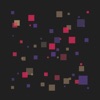
Geometry-based MIDI sequencer/controller. Concept: Place triggers on 2-dimensional ”timeplane” (as opposed to triggers placed on linear 1-dimensional timeline in normal sequencers). Place playhead - circular wave expanding through timeplane (as opposed to point-playhead advancing on timeline). When playhead encouters trigger, note is generated. Rotate timeplane but keep playhead’s origin static - pattern evolves. Interface: select mode on left side, right side and central part will show options/parameters available. PLAY (playhead) - Reach (how far playhead will propagate) - Length (multiplier for note length) - Octave transposition - Divider (affecting speed/rate of playhead’s propagation) - Channel (midi channel to which resulting notes are sent) or Mute state flip - Rotate (will rotate Layer A or both layers by preset angle: 360/3, 360/4, 360/8 and 360/12 degrees) When more that one option is enabled for above parameters, playhead randomly chooses one of them on start (reach, octave, divider) or when it encounters trigger (length, channel). - Rate (playhead's propagation speed) - Loop mode is activated by long touch when placing playhead NOTE (triggers) - Type I-VII (each type can have a specific pitch assigned) - Type T (immediately restarts playhead that reached it) - B layer (blue color) - Note length - Select type before placing trigger or use ADVANCE to automatically select next type after placement (type T excluded) - Velocity is calculated based on trigger's distance from playhead EDIT - Clock parameter affecting timing of all elements - Global MIDI channel offset - Reposition existing playheads or triggers (touch and drag) - Select playhead or trigger and edit playhead/trigger parameters MUTE - Mute/unmute individual triggers - Unmute all triggers - Ignore T triggers ROOT - Pitch origin from which type I and all the following types are calculated (transposes all types when changed) PITCH - Interval distance from root (for type I) or interval distance from previous type (in octaves and semitones) - Separate set of 3 columns to set the octave (left) and semitone (right) distance - First column represents +1 values, second +2 and third +4 (resulting interval is sum of activated columns) - Scale Mode and Scale Pattern allows to set semitone interval distances to match scales (included patterns are: diatonic, melodic, harmonic major, harmonic minor and "heptonia tertia"). Octave distances are not affected. SPIN - Set angle directly for layer A or layer B (blue) - Set rotation speed for layer A or layer B (blue) MIDI - Select current MIDI output WRITE & READ - Write current state for later recall - Optionally read only pitch settings (root and pitch table) or only geometry (triggers and playheads) from presets - Tap on WRITE when write is already active to enter ERASE mode MOD - Modwheel control (CC 1) per channel Detailed description: https://www.seqsual.com/circle Questions and feedback: https://www.seqsual.com/contact Important notes: - Circle does not make any sounds on its own, it generates MIDI messages (notes). - Circle was designed for full-size iPads, not recommended to use on iPad Mini.