Notion: Music Notation and Tab

Notion: Music Notation and Tab

By Fender Digital

  • Category: Music
  • Release Date: 2011-12-16
  • Current Version: 3.5.1
  • Adult Rating: 4+
  • File Size: 146.05 MB
  • Developer: Fender Digital
  • Compatibility: Android, iOS 15
Score: 3.125
3.125
From 24 Ratings

Description

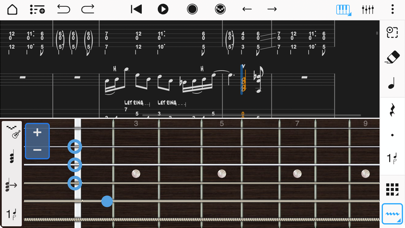
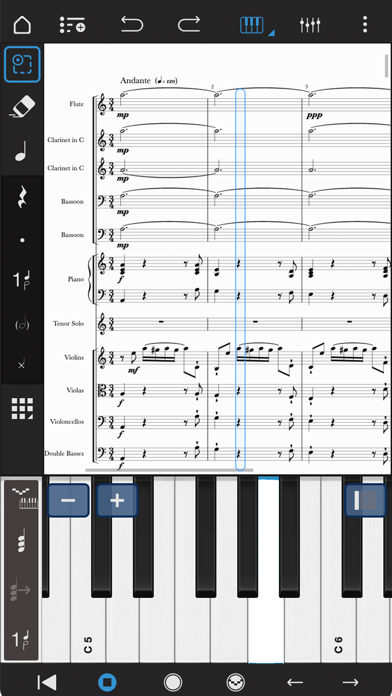
With over 10 years in the App Store, Notion Mobile is a free, award-winning music composition tool for iOS, iPadOS®, macOS and more! You’ll effortlessly create dynamic compositions in traditional musical notation or guitar tablature with its intuitive touch-based interface and incredibly broad editing capabilities. With a user-friendly interface and simple interactive piano keyboard, fretboard, drum pad, and even optional Handwriting Recognition, Notion Mobile makes it easy to get started composing your music. You can also hear your music performed with the most realistic playback possible, using real audio samples recorded by the London Symphony Orchestra at Abbey Road Studios. Notion Mobile is a native cross-platform app, meaning you can write anywhere on any device without requiring a constant Internet connection. And when you’re back online, you’ll be able to sync your work across multiple devices — either through your preferred cloud provider, or through the optional wireless transfer between PreSonus applications on any device. Start your work on one device and finish it on another. Once you are happy with your creation you can share the Notion file, or export as MIDI, MusicXML, PDF or as an audio file. Compose, edit, and play back your music performed with real piano and orchestral samples recorded by the London Symphony Orchestra at Abbey Road Studios — along with outstanding sampled guitar, bass, drums and other popular instruments. And when you’re ready for more sounds, you’ll find the extensive library of Notion Add-on Soundsets to purchase as part of the Feature Bundle. To save space, the initial app download contains just piano — you can then manage which of the bundled Soundsets to have on your device or keep in the cloud, just tap on Sound Installation. Notion has been featured in various Apple campaigns including the 2014 YourVerse television commercials and has won several awards, including a prestigious music industry NAMM TEC Award for Best Smartphone/Tablet App. What you get: Notion Mobile includes unlimited staves, comprehensive editing features and core orchestral and rhythm section Soundsets — all for free. You can optionally register (also for free!) to unlock an additional Soundset (containing Solo Strings, Classical Saxophones and Glockenspiel), and the multivoice function that allows writing in up to 4 voices per staff. Then for the full experience, either sign in with your Studio One+ membership or purchase the Notion Feature Bundle. This unlocks Handwriting Recognition, Layout Controls, all the Expansion Soundsets (including many auxiliary instruments and additional articulations and effects), additional audio export formats (m4a, OPUS, FLAC) and direct file transfer between any PreSonus application running on the same network (including Notion Mobile, Notion Desktop, and Studio One.) Free: Unlimited staves All editing features Core Soundsets Export as MusicXML, Compressed MusicXML, MIDI, PDF, wav, mp3 Welcome Pack (register for free): Soundset including Solo Strings, Glockenspiel, Classical Saxophones Additionally write for voices 3 and 4 in a single staff Feature Bundle (in-app purchase or sign in with Studio One+): Handwriting Recognition, powered by MyScript Available on iPhone, iPad and macOS (macOS with supporting graphics tablet or using Sidecar with compatible iPad) Automatic pen vs. finger recognition to switch between handwriting and edit mode Pressure-sensitive support for Apple Pencil Adjustable timer for Handwriting Recognition Override handwriting timer by double tapping Apple Pencil (2nd Gen) Layout Control All Expansion Soundsets Additional audio export formats (m4a, OPUS, FLAC) Direct file transfer between any PreSonus application running on the same network (including Notion Mobile, Notion Desktop, and Studio One)
Screenshots

Reviews

  • I Keep Coming Back

    5
    By Jojed
    I have used varying notation software on both a desktop and on iPad over the years. I’ve used both types (desk top and iPad versions of many products trying to be as mobile as possible. That wasn’t truly a possible for a long time. Because of this, I have tried many if not most of the music notation software out there. Say what you will, but I keep coming back to Notion for its ease of use, simplicity and straight forward tools. It makes sense to me how they have structured and organized the tools. It plays well with other DAWs when I need to move my scores to other platforms for recording work. I can even use Notion in conjunction with other DAWs. It has printed full orchestral scores and their parts for me as accurately as I’ve prepared the scores. It has even alerted me to times when I haven’t prepared them well, allowing me to catch issues before printing. I know there are other names out there that people feel are the “go to” notation software. I’ve used them and wasn’t impressed. But honestly, no one has ever complained about my work in Notion, or even known I used it instead of something else, and for that I’m grateful to this software for letting me focus on the music instead of the “how to’s” of getting music into a physical space that I can share with others. All software can use or need updates and improvements. I look forward to the new updates coming in the next version of Notion. Notion is a workhorse that I won’t be dropping any time soon. Thanks, Notion. Keep up the great work. I don’t really leave reviews but I actually wanted to. My two cents. :)
  • Good, BUT

    3
    By yearbook teacher
    This app is good, but when you go to transpose instruments or write a score with multiple instruments, it changes everything to only one key. So even if I write alto sax in the key of G it puts the sounds on the key of c. So weird. It isn’t auto.changing keys to the transposed key anymore. It used to but it is glitching badly now.
  • Deleted my music

    1
    By robloxgamer8400
    Working on a project and it just randomly deleted everything fix this stupid app
  • worse and worse

    1
    By J. E. Jacobs
    They have continuously messed this app up with every single update. They changed something so now I can’t even use it or login or restore purchases or anything, or access files on iCloud. And I had all the features unlocked and downloaded but with every update, they mess it up.
  • Great but has a bug

    4
    By Pneumonoultramicroscopics…
    Really good app but has a bug where I can’t play the lowest notes on guitar (e2 a3 or a2) and can’t change name once a score is created.
  • Mason rogers

    5
    By Masonlovescoasters
    This is really cool I wish if they get it updated they should add second time only, mouthpieces only, and foot stomps and other instruments like e flat clarinet and alto clarinet and more instruments like other percussion instruments in the future.
  • Good app but drums

    3
    By Titanic Rocky
    I am not able to hear the drums, otherwise a good app.
  • Love it! However….

    1
    By BrassToaster
    This is an amazing notation program and with all features unlocked does a fantastic job of realistic playback. Only thing keeping from 5 stars is cut and paste is wonky. I copy from one measure and paste into another only to have it show up somewhere 10 measures later. Makes copy and paste almost unusable… this is with a 2024 iPad Pro, should be able to handle this…
  • Love it

    5
    By Reviewisto
    Works great for me. Doesn't seem to be a way to split lyrics for multiple voices in the same staff, but otherwise it's great! Please keep improving this app.
  • The stuff is a little buggy.

    3
    By RoninMB
    How do I change the bpm? It won’t let me do that, and that’s it basically.

keyboard_arrow_up