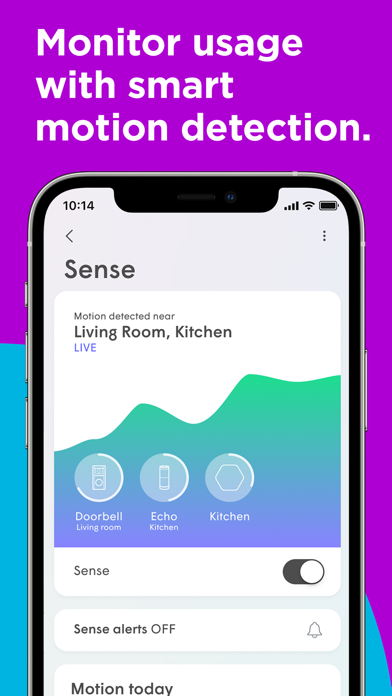
A corner-to-corner connectivity solution, Midco® Wi-Fi brings your Midco internet to the next level. Midco Wi-Fi uses your existing internet connection, strategically placed pods and this app to optimize, control and protect your home network. To access the app, you must have Midco Wi-Fi (not just Midco internet). – Streamlined Navigation Using the app is now easier than ever. Its new tabbed navigation bar allows for simplified discovery and control: •Home – Provides a complete view of everything across your network. •People – View the people and devices on your network. •Newsfeed – Alerts you to any network activity, events and new features. •More – Quick access to settings and account management. – Smart Self-Optimizing Technology Midco Wi-Fi uses built-in AI to automatically adjust your network as devices come and go so you don’t have to think about your Wi-Fi – unless you want to. – Guard: Advanced Security When enabled, Midco Wi-Fi preemptively monitors threats to protect your network without impacting the performance of your browsing experience. Then, if a threat is detected, the device is automatically placed into quarantine to protect your network’s integrity. – Adapt: Network Visibility Have complete control over your home network. Know who is connecting – from which device and when. Create and manage guest networks and passwords for visitors outside your main home network. Then, use the built-in speed testing functionality within the Midco Wi-Fi app to ensure you’re getting the most out of your internet bandwidth per device. – Sense: Motion Detection Use each person’s primary device connection to determine if they’re at home or even the room where they’re connected to your network. – People and Devices Set and manage Midco Wi-Fi preferences at the user or device level. Start by creating a profile for each person. Then, set their content access limits, adblocking settings and more. Once you assign devices to each profile, those content access limits and adblocking settings will be applied to all their devices. Plus, you can set an everyday schedule by implementing device freezes. – Simple Self-Installation Grab your pods and go! Set up corner-to-corner coverage using the Midco Wi-Fi in-app tutorial or our easy, step-by-step instructions at Midco.com/Setup. Both options provide clear directions with visuals to guide you through the install process. Note: Self-installation may not be available (or a good fit) for everyone. Don’t have pods? Or have questions? Reach out at Midco.com/Contact.