
Labelife

Labelife

By PHOMEMO PTE. LTD.

  • Category: Utilities
  • Release Date: 2021-04-01
  • Current Version: 3.7.4
  • Adult Rating: 4+
  • File Size: 216.49 MB
  • Developer: PHOMEMO PTE. LTD.
  • Compatibility: Android, iOS 13.0
Score: 2.48951
2.48951
From 143 Ratings

Description

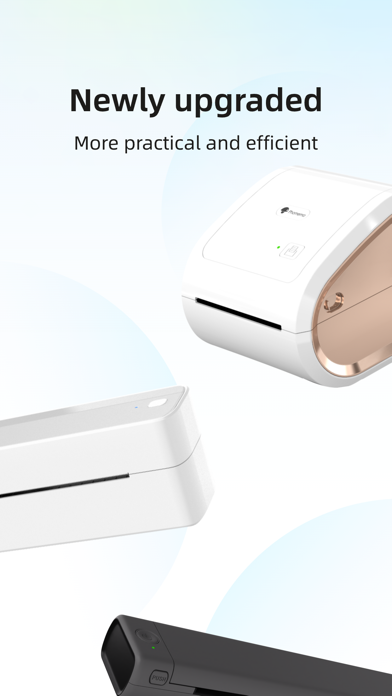
Labelife is a software that provides users with one-stop label printing and management services, suitable for the diversified label needs of various industries and scenarios. Whether it is a corporate user, an individual merchant or a personal label enthusiast, Labelife can provide efficient and convenient services, making label printing and management easier and more convenient. [Label Template] Covering industry templates such as supermarkets, electricity, logistics and transportation, to meet the needs of different industries [PDF Printing] Support PDF import and cropping, easily realize PDF batch printing [Image Printing] Support batch import of images, handle a large number of image printing tasks at one time [Easy to Use] Simple and intuitive interface design, you can quickly get started without professional training Thank you for using labelife. If you have any questions during use, you can give feedback in "Feedback" and we will deal with it in time.
Screenshots

Reviews

  • This app blows

    1
    By Gayplantwizard
    It uses a different app than the small phomomo printer and this app is terrible. Searching for icons makes no sense. I’ll type in ‘P’ and get a moon symbol but if i search for moon nothing will come up. Terrible.
  • This app is terrible

    1
    By Ck89113
    This app is terrible and hard to use. I am upset that Phomemo requires this app instead of Print Master for the printer I have because this is useless. You can’t download templates and if you can’t I haven’t figured it out. This needs some serious work. Terrible!
  • So Frustrating.

    1
    By beckycee
    I’ve had issues with this printer printing more than TWO labels at a time. When I first got it, it would just print two then stop. If I would try again, it would print two and then the feed wouldn’t stop but there was no printing. I’ve wasted a lot of labels from this happening, causing jams and duplicate labels. After contacting support, I was given a few instructions to resolve this issue. Nothing worked. Still can only print two labels at a time. After trying to print multiple labels today, the printer stopped at two, got queued up and couldn’t proceed. I cleared the entire cache, still only printing two so I rebooted the printer and now it can’t find the printer even though the Bluetooth says it’s connected. I am beyond frustrated with this thing and about ready to toss it out the window.
  • doesn’t print

    1
    By Munchovich
    doesn’t print
  • Don’t buy if you sell on ebay

    1
    By Wolfgang Brandt
    I am an ebay seller who bought this printer and app. You have to manually crop every shipping label from ebay and it is exhausting.
  • Great for my little biz

    5
    By j219
    I’m not the most techie person but I did figure this out for quickly printing shipping labels for my ebay and posh sales. The only problem I had early on was when I didn’t update the app to the new version. I couldn’t connect via Bluetooth until I updated. After updating it was back to normal and if I come across any issues, updating the app has fixed it.
  • This app has gotten an unfair bad rep.

    4
    By OhhByteMe
    Is the app Mac like? Mostly. Does it connect to the printer? Absolutely. Are you able to import images from pretty much anywhere saved on your hard drive? Yep. Is it intuitive? For the most part. computer savvy people will pick it up with little hiccup. Not so computer savvy? Well, you probably don’t want to use this software. It’s a little convoluted and not thought out like American developer would have designed it by any means. Does it get the job done? Without a doubt. People have complained about error messages typically because of the way-too short wavelength of the inherent bluetooth module. So long as you are in range, you won’t have the other user-advertised issues. Bottom line, if you have a compatible label printer, can keep it close to your computer and you need to print labels, you shouldn’t have much of a problem doing so with this app.
  • Works but too basic

    2
    By Leo the pilot
    It works but you can’t share the labels you created to be used by others. There is no import and the export saved in PC will not open.
  • Doesn’t work. Period.

    1
    By BRossow
    Installed this app to print small labels on my existing USB label printer (very recent model, works great with other apps like Word, Preview, etc.) and it simply doesn’t work. Says, “Please Connect the Printer,” but when I click that, it says that USB printers are plug-and-play and don’t need to be set up. Nevertheless, the printer doesn’t show up, and I can’t get an active Print button on the print dialog because it doesn’t recognize that any printer is connected. Again, not a problem with the printer or computer as it works perfectly in other apps. What a terrible app!
  • Awful

    1
    By Cowbell Farm
    Extremely basic and to top it off, every time I open the app it says try to reconnect to use different fonts, shapes, etc. connects to the printer fine, but not letting me use any of the features. Redownloaded MANY times. Still not working. Waste.

keyboard_arrow_up