SmartSDR™  FlexRadio Systems®

SmartSDR™ FlexRadio Systems®

By Marcus Roskosch

  • Category: Utilities
  • Release Date: 2020-08-14
  • Current Version: 2.9.95
  • Adult Rating: 4+
  • File Size: 20.79 MB
  • Developer: Marcus Roskosch
  • Compatibility: Android, iOS 14.6

Description

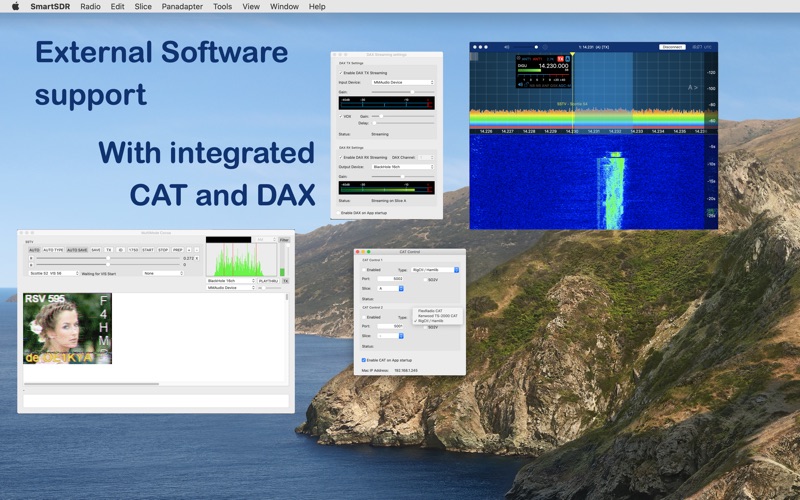
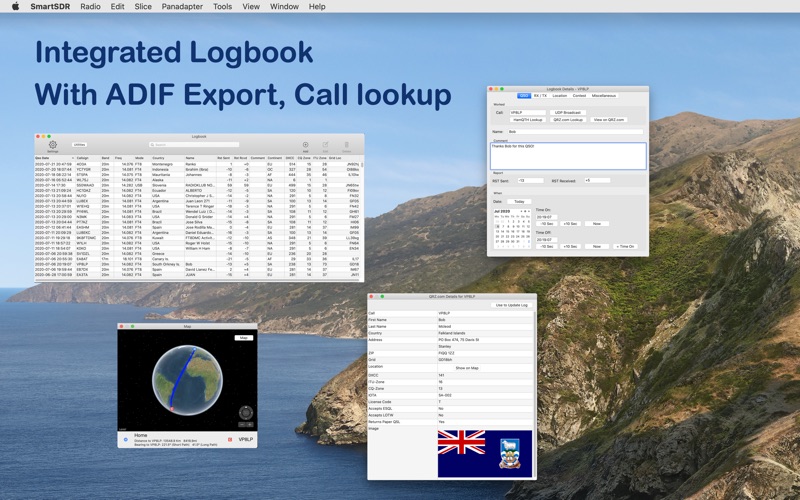
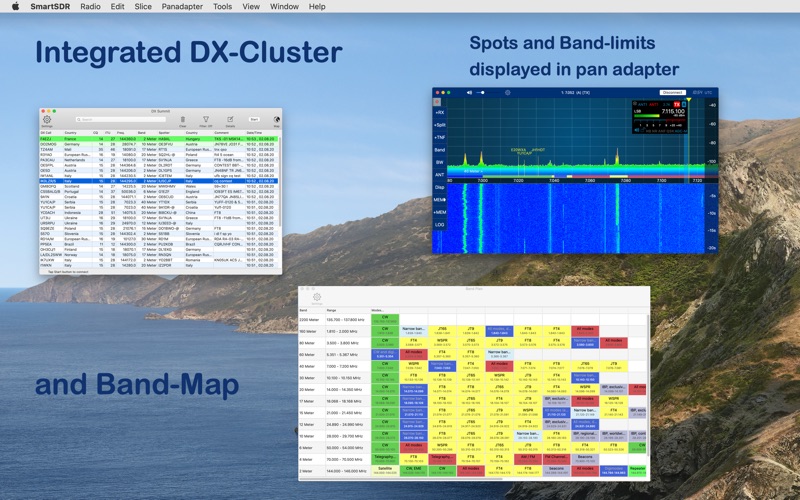
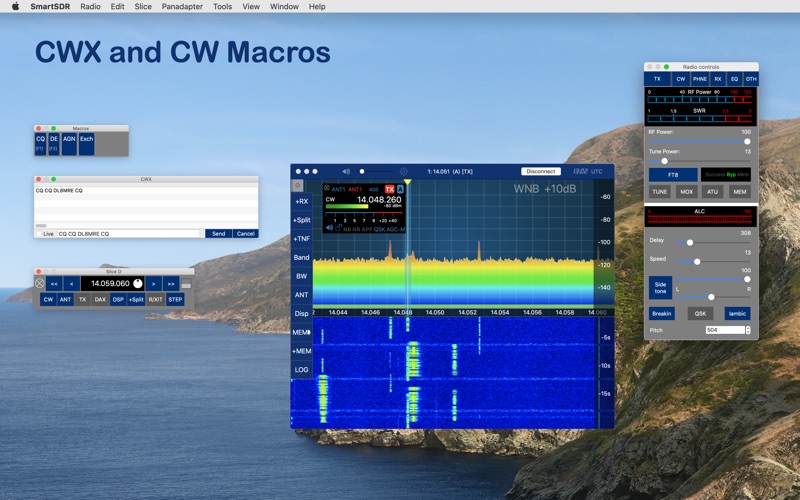
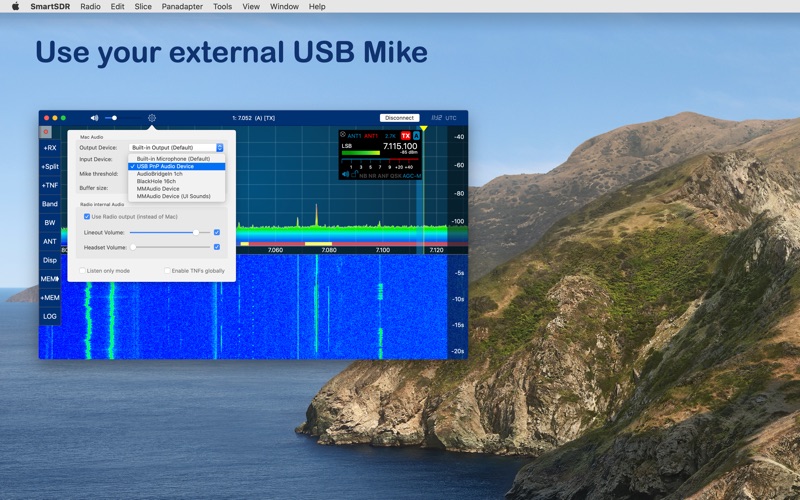
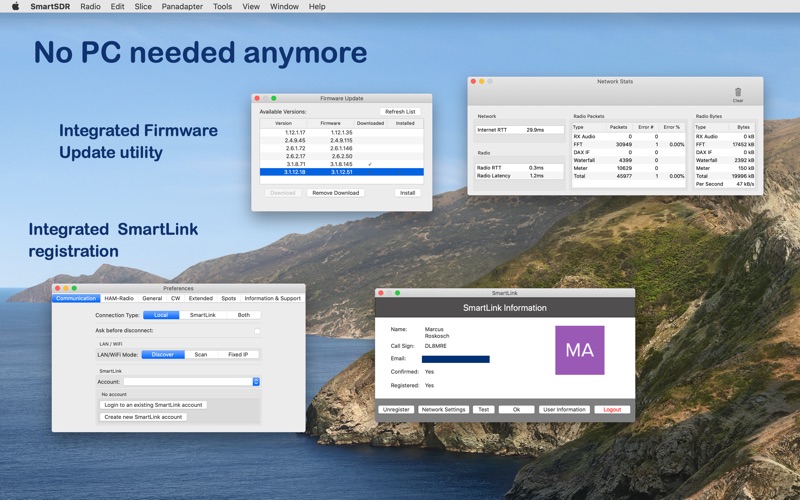
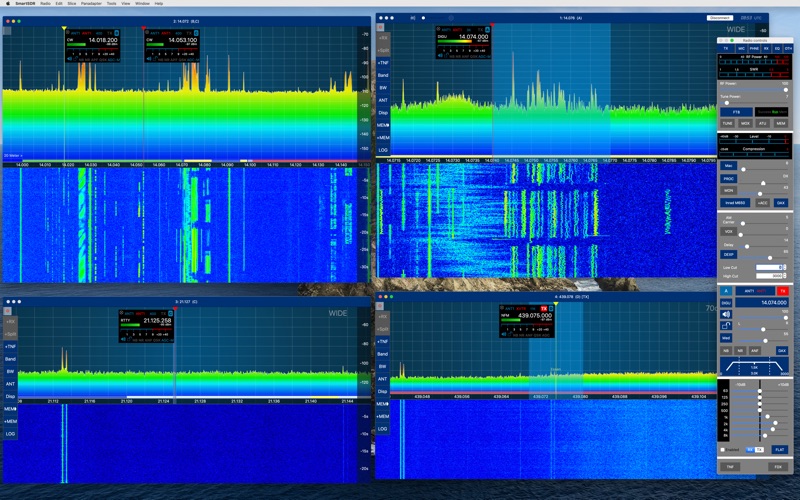
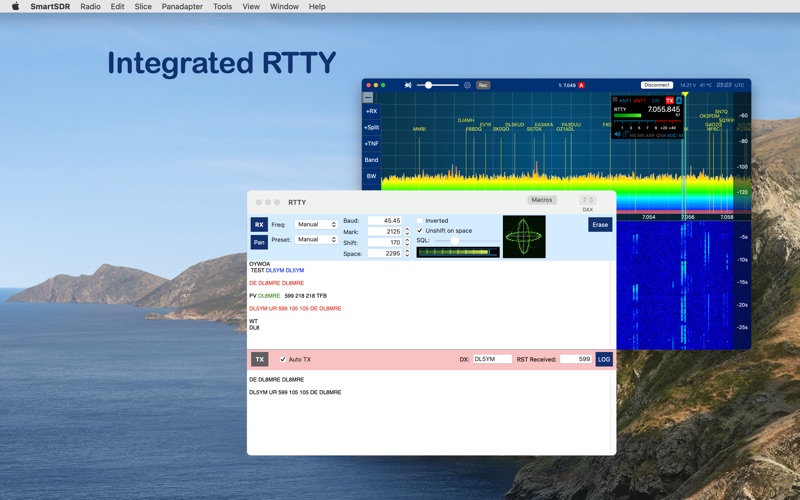
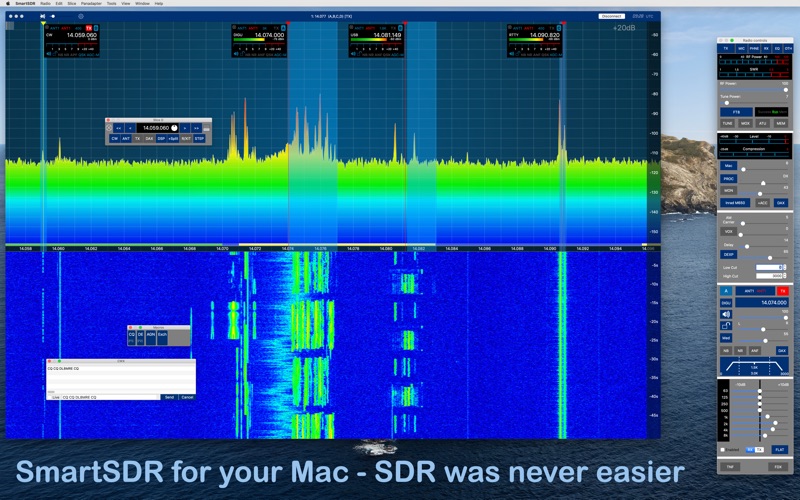
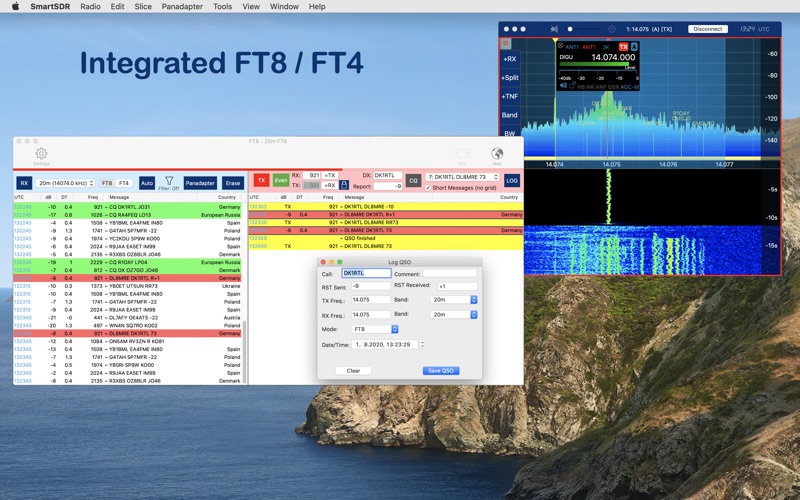
Official FlexRadio Systems® Client for your Mac SmartSDR is a full featured FlexRadio client that enables your Mac to operate your FlexRadio device. It is fully compatible to SmartSDR v1, v2 (including SmartLink), v3 (including MultiFlex and SmartControl) and v4. Important: This App requires a FlexRadio Systems® Series-6000, 8000 or Aurora Software Defined Radio (SDR). FACTS AND FEATURES: ■ macOS 26 (Tahoe) App, backward compatible to macOS 14 ■ Runs natively on Silicon as well as Intel Macs SmartSDR offers all features of SmartSDR for Windows such as: ■ Unlimited number of Slices, Panadapters (limited only by Radio model) ■ Maintain all Radio, Slice and Panadapter settings ■ SmartLink™ remote access support ■ APD / SmartSignal™ support ■ MultiFlex™ support ■ SmartControl™ support ■ Native Power Genius (PGXL), Tuner Genius (TGXL), Antenna Genius (AGXL) and Rotator Genius (RGXL) Support (no Windows Software needed) ■ And all the other features of the Windows Version (including Diversity) There is no longer need for running SmartSDR for Windows on Bootcamp, Parallels or a separate PC because these features are also included: ■ Radio Firmware Updates ■ Setting up and registering SmartLink - you can even maintain multiple SmartLink accounts ■ Installation of Region (Turf) Files ■ Backup / Restore Radio Configuration and Memories In addition, the following extra features are included: ■ Full featured FT8 / FT4 Tool ■ SSTV receiving (NEW!) ■ RTTY now also included ■ CW Decoder ■ APRS (new) ■ Logbook with auto logging and ADIF Im- and UDP Export (Synchronizes with Smartsdr for iOS over iCloud) and LOTW, QRZ.com integration ■ DX-Cluster Tool ■ Band Plan ■ Voice Macros (Voice keyer) ■ And several additional Tools and features EXTERNAL SOFTWARE SUPPORT Even though FT8 is included, you can run this App along with your favorite external Software like WSJT-X, fldigi or others because: ■ CAT Support for FlexRadio CAT, Kenwood TS-2000 emulation and RigCtrl / Hamlib ■ DAX TX and RX audio streaming to any device EXTERNAL PERIPHERALS SUPPORT ■ New: S.A.T. Support with automatic doppler correction. No CAT or USB Cable needed. LEO / Satellite operation was never easier ■ FlexControl support ■ You can use a Midi Controller (like the CTR2, DJ2GO2 or CMD-Micro and others) to fully control your Radio ■ CW Straight Key / Paddle via Midi Controller, FTDI Serial Cable or assigned keyboard keys ■ External microphone support (e.g. for USB microphones) WHAT YOU NEED: - A FlexRadio Systems® FLEX-6000, 8000 or Aurora series radio - A Mac which runs at least Mac OS 14 SUPPORTED SDR HARDWARE: FLEX-6300, FLEX-6400, FLEX-6400M, FLEX-6500, FLEX-6600, FLEX-6600M, FLEX-6700, FLEX-8400, FLEX-8400M, FLEX-8600, FLEX-8600M Find out more here: https://ham-radio-apps.com Read the Manual: http://go-to.me/smartsdrmac-manual
Screenshots

Reviews

  • Used to be good.

    1
    By King-dude
    When I got my first Flex but with every update it keeps going down hill. Almost impossible to run my Flex on my Mac and had to purchase a Maestro
  • The only reason I bought a Flex radio

    5
    By KapnKrunch
    I’m an IT geek and relatively new ham, and was in the market for a new SDR to replace my Expert Electronics SunSDR2dx. The Sun had, by far, the most beautiful and useful macOS-friendly software around. However, due to the mess with the Russian invasion and subsequent dearth of software updates, I sold the Sun and instead opted for the Flex. The native Windows SmartSDR software, while functional, is spartan. The GUI is outdated, and basic features (like band edge indicators) are absent. But thank goodness I’m a Mac user. Marcus’ MacSmartSDR delivers a GUI that’s gorgeous. It’s supremely functional and includes most tools that any ham could want. Additionally, Marcus is responsive to new ideas and bug reports. Bottom line, if not for this software, I would not have purchased a Flex.
  • Apple M2 Mac Mini Freezes and Requires Restart After Second Time the Program is Started.

    3
    By Tom in Rockport
    When the software is first started after booting the Apple M2 Mini the program is generally pretty good. If I exit the program and restart the program without rebooting it also operates fairly well. But, on the third start without a reboot the program will not load properly and it is necessary to force quit the program and either restart or shutdown and restart. I was hoping see a fix in an update for this has now been going on through a number of updates.
  • Outstanding APP for my Flex Radio

    5
    By ranger_lrp
    I have been using the app now for about a year with my Flex-6500. It is outstanding and well worth the fee. It is updated with new features and options from time to time with added fixes. Superior to the Windows app
  • Sequoia Upgrade

    5
    By Retired Army Special Forces
    After upgrading my MacBook Air to the new software I was surprised to see that everything still worked flawlessly. Hats off the developer for keeping things up to date. He has always been very responsive to any questions or issues. Fantastic program.
  • Brilliant Flex Radio Control - on your Mac

    5
    By Span1213
    Stop thinking, support the developer's work. This is an amazing, mature Macintosh application with rock-solid updates and spot-on well thought out documentation. de AE7YH
  • Not worth it. Very buggy. FT8 client is worthless.

    1
    By SierraHarrop
    Yes, it "works". Does it work well? No. Especially the FT8 client, as it won't run F/H mode, won't let you force transmit, and it goes into standby if the person you're trying to call is working someone else. Totally worthless in a rare DX pileup. You can either use the logging client or the transmit client, not both at the same time like one would with a real logger. I also noticed a lot of bugs when trying to configure it. I very much regret buying this software. For the same money, I could have just bought a Windows laptop and had something that worked well. So disaapointed.
  • Very Good ! Including with digital modes

    5
    By K3uk
    After decades of working with Windows I Purchased this app to use with my new Mac Mini . It comes highly recommednded by many Flex Radio users. I must say that the software is superb . There are a few differences compared to the Windows version, DAX and CAT take a little getting used to but work fine for most common ham usage. I must take issue with a past review that says it does not work well for digital modes. The author mentions Loopback and Blackhole applications for audio routing. I tried both and found the free Blackhole to be the easiest to use. I use SmartSDR for Mac OS with Fldigi . For FT8 and RTTY I simply use the native "tool" that Marcus has built in ... because the FT8 tool performs as well as WSJTX and I think is visually more appealing. The POTA tool and DX Cluster features are also very well implemented. I have used 4 instances of the FT8 tool at the same time using a Flex 6600 and the FT8 implementation that Marcus designed. My Mac Mini M2 handles this well. The CAT port implementation in SmartSDR does not seem as flexible as the Windows version of SmartSDR CAT but I am not sure all that is needed. I am using SmartSDR for Mac with Yuri UT4LW's SDC Software Defoned Connectors . The two apps work well together and SDC allows me to use the Mac with SDC's CW and RTTY servers, plus SDC's contest modules.
  • Great Support Great Program 'FB' all around

    5
    By Irvin3
    SmartSDR Mac not only works impeccably but includes several functions that require additional software using the Window SmartSDR (not to mention the sometimes strained integration under Windows). FT8 comes to mind but there are other 'Tools' included which Just Work. The Tools menu content tells the tale: CW Keyer, Keyboard, Controller, Genius Devices, Band Plan, Frequency List, Call Lookup, DX Cluster, POTA, PSK Reporter, Recording, Voice Macros, Alerts, Logbook, CW Decoder, HF-Fax, RTTY, FT8. Excamples. Genius Devices are fully integrated to include the ability to manually define. Call Lookup is basic but includes the ability to call the full info from your source (such as QRZ). The integrated logbook is no DX Labs but being fully integrated and plenty capable it's all we mostly ever need. (You can integrate with various external logs too. Including DX Labs). CW Decoder works as well or better than any. FT-8s set up the radio and panadapter with one mouse click. Finally. I've personally had one or two glitches. (Nothing that affected operation really). Support response from the developer has been superb. Flex support is nothing to compalin about. But SmartSDR Mac software support will actually come back with something like '... your issue is fixed ... it will be some time before Apple publishes ... look on the AppStore in the next few days". Well worth the $159. Peanuts to compliment a sevral thousand dollar radio.
  • Written and Functions the way all APPs should be!

    5
    By TenaciousMoss
    Marcus creates apps that are out of this world amazing. He learns the need and provides an app that meets and exceeds the user expectations. Plus his support and upgrades are the best in the industry. Hard to say that about very many app developers today. I highly recommemd this app, his ios apps and the SDR Control for ICOM. They are worth every penny and make using these radios a great experience. Thank you Marcus!!

keyboard_arrow_up