GoDaddy: POS & Tap to Pay

GoDaddy: POS & Tap to Pay

By GoDaddy Mobile LLC

  • Category: Business
  • Release Date: 2018-08-15
  • Current Version: 6.40.0
  • Adult Rating: 4+
  • File Size: 94.56 MB
  • Developer: GoDaddy Mobile LLC
  • Compatibility: Android, iOS 16.0
Score: 4.70313
4.70313
From 15,936 Ratings

Description

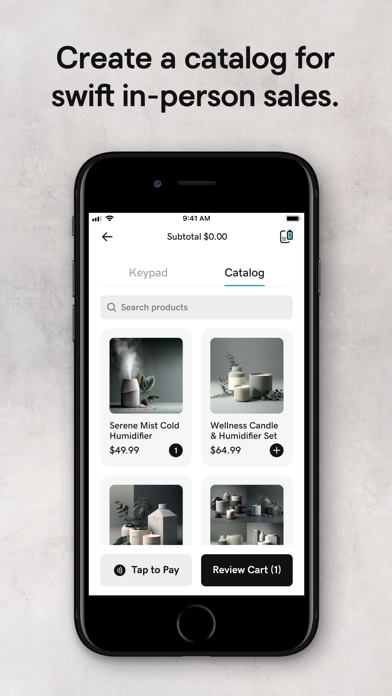
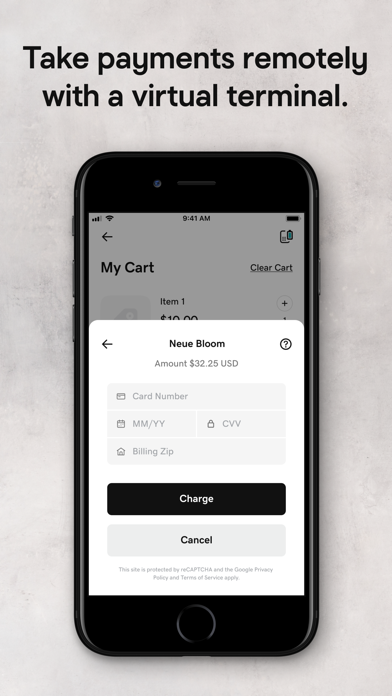
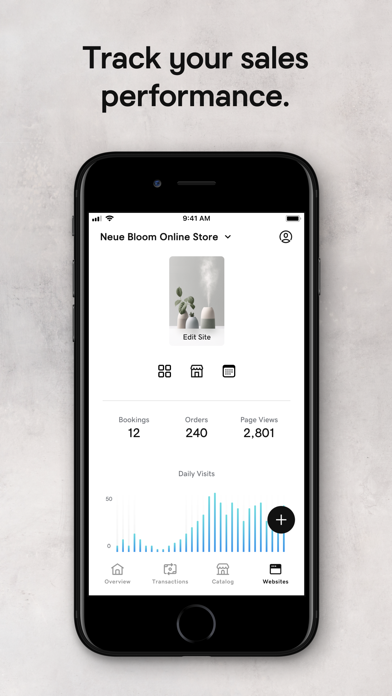
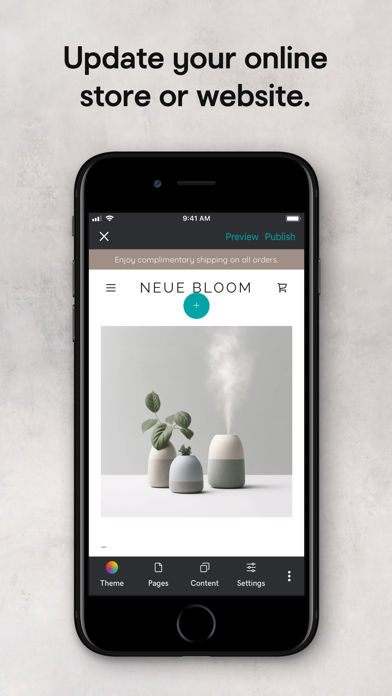
Get started taking payments in under 90 seconds*. No application, monthly fee, contract, or hidden costs. Use the GoDaddy Mobile App as your point of sale and take all types of payments, including credit, debit, Apple Pay and Google Pay. With the lowest processing fees in the industry† for in-person transactions, you keep more of your money and get payouts as soon as the next business day. GET PAID QUICKLY & SECURELY • Tap to Pay on iPhone. Take contactless payments with just your iPhone – no extra hardware needed. It’s easy, private, and secure‡. • Send Pay Links. Text or email customers a secure link they can use to pay. • Easy Catalog Management. Add, update, or remove products directly from the app to make in-person selling a breeze. • Create QR Codes. Generate a QR code that your customers can scan to pay. • Key In Cards. Manually enter credit card info to process over-the-phone payments. • Credit Card Reader. Optionally pair with a GoDaddy Card Reader for dip and swipe processing. WHY GODADDY? • Trusted leader with 25+ years of helping small businesses grow. • Lowest fees in the industry† for in-person and eCommerce transactions. • No monthly fee, no contract, no hidden fees. • Payouts as soon as the next business day. • Many ways to get paid – choose what’s most convenient for you & your customers. • Manage your point of sale catalog & online store on the go. • Get started in under 90 seconds. • 24/7 award-winning support. * Based on typical app user experience. † Lowest processing fees compared to similar plans from Square, Shopify, and Stripe for card present transactions. ‡ Tap to Pay on iPhone uses the built-in features of iPhone to keep your business and your customer data private and secure. When a payment is processed, Apple does not store card numbers on the device or on Apple servers, so you can rest assured knowing your business stays yours. Tap to Pay on iPhone subject to device & OS requirements. Some contactless cards may not be accepted. Tap to Pay on iPhone is only available in the U.S. Not available in the U.S. territories. The Contactless Symbol is a trademark owned and used with permission of EMVCo, LLC. Terms and Conditions: https://www.godaddy.com/legal/agreements/universal-terms-of-service-agreement

Screenshots

Reviews

  • Stopped working

    3
    By Milk&Oat
    Was working perfectly fine until this week. it does not let me do anything, even after the update
  • Doesn’t work well with mobile

    3
    By :):7:’
    This app has flaws and it gets frustrating when you have to continuously log back into it to finish a project on the mobile device
  • Bait and switch

    1
    By Willgolf10
    Bait and switch
  • Broken as usual

    1
    By Assman47
    Doesn’t display correct number of visitors to my website
  • Crashes Constantly

    1
    By Sailer Cat
    App won’t stay logged in, sign in multiple times then it tells you to download the app tha you’re already in. Never works when there is a customer standing there. Have to delete and download the app constantly
  • Not flexible

    2
    By Giselle Magic City
    Through my company, we have raised various issues regarding the payment screens we show our clients in GoDaddy - they are dark and it’s very difficult for clients to see gratuity options. Additionally, GoDaddy’s default for gratuity is 10/15/20% and we have asked multiple times over 3 months to have this changed to 15/18/20% and still nothing has been addressed much less completed.
  • Changes

    1
    By Rebellious Ruby
    They made changes & you cannot see appointments nor stats anymore. Called support & they can’t do anything about it other than ask you to go on a desktop to continue to see appointments. Small businesses such as myself rely on the apps.
  • DO NOT USE HORRIBLE APP JUST USE STRIPE

    1
    By Mrs Moochies confections
    I download the the app to help my employees with in person sales. By the time we set it up and finish everything you recommended me to do. The app decided to do deactivate my account after already making money on their to which I cannot get back. This is the most horrible rancid app one out of 10 will never use again
  • Recent update

    3
    By HeartSouth CPR
    Please “untweek” the recent update. I can no longer access appointments or orders for my business from the app. This is inconvenient.
  • Put It Back Please

    2
    By Ms.Love1998
    This latest update is awful for the phone version. Can’t search through specific categories anymore , it removed all my photos and unless you know every single name to every piece in your store you will have a tough time finding anything in your catalog. Needless to say I’m not loving the update

keyboard_arrow_up