Parallels Client

Parallels Client

By Parallels International GmbH

  • Category: Business
  • Release Date: 2016-11-02
  • Current Version: 21.0.26251
  • Adult Rating: 4+
  • File Size: 37.80 MB
  • Developer: Parallels International GmbH
  • Compatibility: Android, iOS 17.0
Score: 2.54545
2.54545
From 55 Ratings

Description

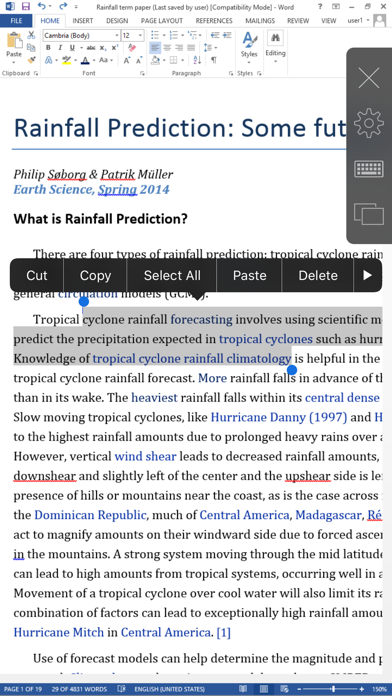
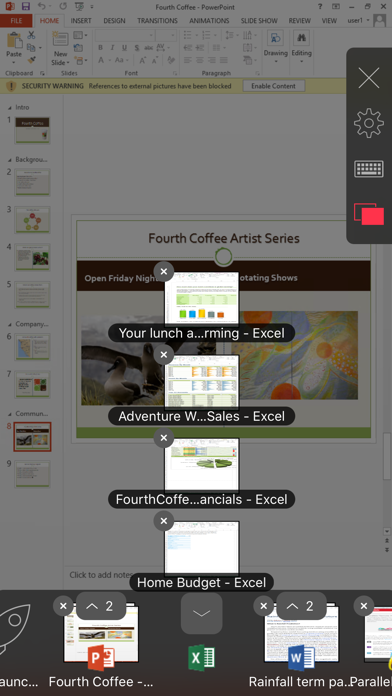
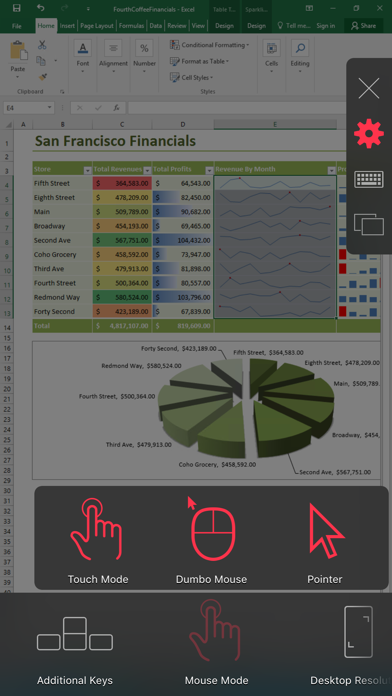
Parallels Client, when connected to Parallels RAS (Remote Application Server), provides secure access to business applications, virtual desktops, and data from your device. Using virtualized applications and desktops in Parallels Client is intuitive, fast, and reliable. Parallels Remote Application Server and Parallels Client allow you to: • Work on any device from anywhere • Access any corporate Windows applications • Resize and optimize published applications for a native look and feel FEATURE HIGHLIGHTS • Seamless access to Windows applications on your device • Higher level of security when connecting over SSL • Access to Azure Virtual Desktop environments • Ability to work with virtual desktops, terminal servers/RD Session Hosts, and Windows PC hosts • Universal Printing allows you to print from your device to any printer • Graphic acceleration using RemoteFX • Remote applications and desktops extended to multiple monitors • Remote sound, local drive, and two-way clipboard redirection for a truly intergrated experience If you have questions about Parallels Client, please visit our support page. For more information about Parallels RAS, visit www.parallels.com/products/RAS/. Parallels Remote Application Server is an industry-leading solution for virtual applications and desktop delivery.
Screenshots

Reviews

  • Tc2000

    1
    By naty10pn
    It’s too slow and many times it doesn’t work. I use it for TC2000, and it’s too frustrating…
  • keyboard and mouse support

    3
    By pleasehopethisnameisnottaken
    some shortcut like ctrl+space will be hijacked by ios to switch langauge. all single key shortcut doesn't work, this can be easily tested with blender. mouse double click and has that weird ripple effect, it's not visually appealing, drop it.
  • App Doesn’t Work.

    1
    By Peer_to_Peer
    Can’t navigate the screen on my iPad. Doesn’t respond to touch mode. No matter which tabs I tap, nothing works. Uninstalled and reinstalled it several times, still no go.
  • Malísima

    1
    By JV7.
    Lo peor que han hecho
  • Connect problem

    1
    By cnnay1
    Won't connect
  • Screen adjustment

    5
    By kremlim
    Please update for iPhone 13 Pro Max, the graphics is awesome but it doesn’t extend all the screen, has a black bug border on each side when the phone is on landscape.
  • Terrible app for iPhone

    1
    By Tquach
    Loved the old TC2000 version. This new version is terrible and useless. I just canceled subscription.
  • This app still needs a lot of work.

    1
    By Fuel Pump
    People need to use this to be productive, so make it work better for people that use it with iPad Pro, keyboard, trackpad/mouse.
  • Terrible

    1
    By ㄩики◊ῳи
    Absolutely horrible DO NOT USE, it is defiantly not user friendly and works like absolute garbage without a wireless keyboard rich at that point you might as well just use this on a laptop or computer. Do not waste your time with this app!!
  • Farewell Parallels

    1
    By TryAgain!!!
    I’ve used Parallels for my iPad for over a year, it used to work just fine. However about 6 weeks ago the keyboard will no longer pop up. I enabled the ´always pop up ´ feature in settings - no success. I deleted both Parallels and the app I use it with, reloaded - no success. Parallels is severly cripled without the ability to use the on screen keyboard. I can no longer recommend this product. If your app has an iPad extension that requires Parallels, move on to another solution, Parallels is essentially dead on the iPad. And if you are wondering, yes all my apps are updated automatically.

keyboard_arrow_up