Genius Sign: PDF doc signature

Genius Sign: PDF doc signature

By The Grizzly Labs

  • Category: Business
  • Release Date: 2015-07-16
  • Current Version: 2.17
  • Adult Rating: 4+
  • File Size: 41.96 MB
  • Developer: The Grizzly Labs
  • Compatibility: Android, iOS 16.0
Score: 4.86781
4.86781
From 12,134 Ratings

Description

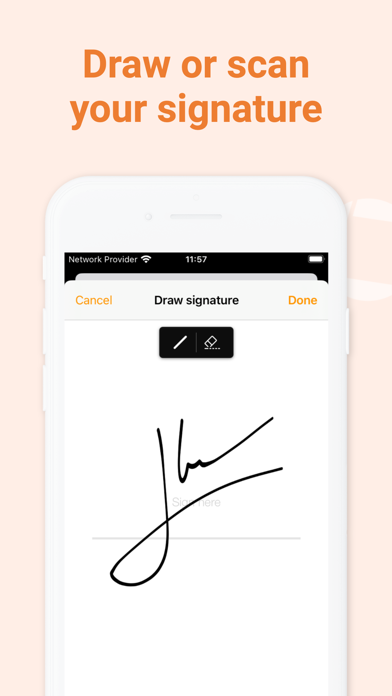
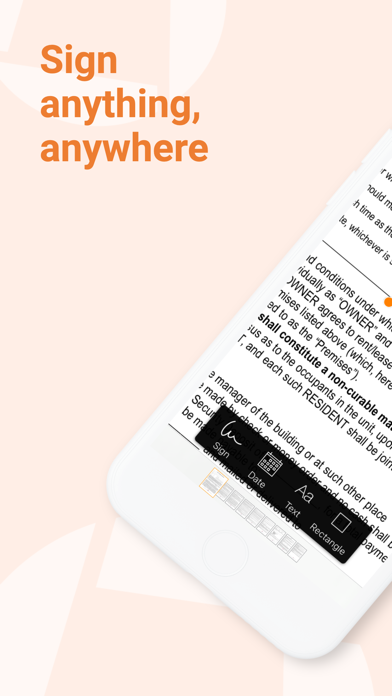
Genius Sign is the best app to sign, date, and annotate your documents. “Genius Sign shaved off about 30 min of my daily routine.” – Jane D., realtor “I wish I had known about this app before” – Mike C., business owner. Have you ever had to print a contract you received by email, to be able to sign it and scan it before sending it back? Well, Genius Sign is now going to save you a lot of time, trouble, and paper. With Genius Sign, import any document, insert your signature, some text, the date, and export it wherever you need to. To sign, draw your signature on the screen with your finger. You can also scan your actual handwritten signature with our award-winning scanning technology for a realistic rendering. Genius Sign features two smart technologies that save you tons of time: “Sign Here” magically detects the pages you need to sign, avoiding you to browse through the entire document. “Auto Repeat” enables you to repeat your initials on all the pages. Genius Sign is free to use and has no limit on the number of documents or signatures that you can manage. Should you be interested in the premium features, you can decide to upgrade to Genius Sign+. FEATURES: - Create and save new signatures, either by drawing or scanning them. - Import PDF, Word or image documents. - Insert text and date, change their format, color, style or size. - Precisely position your annotations. - Quickly locate the signature fields with our Sign Here feature. - Import documents from Genius Scan, your Photos library or any cloud service. - Export your documents by email or to other apps. PREMIUM FEATURES: + Have guests sign documents without keeping their signature in the app. + Flatten annotations so that no one can modify them. + Repeat your initials on every page of a document. + Export to your favorite cloud service (Box, Dropbox, Evernote, FTP, Google Drive, OneDrive, OneNote, SugarSync, WebDAV). + Print documents with AirPrint. + Duplicate documents with or without their annotations, to reuse them as templates. + Password-protect and encrypt your PDF files. + Protect Genius Sign with Face ID, Touch ID, or with a passcode. We read and reply to every support email that we receive, and we are looking forward to your feedback. Contact us at any time at [email protected]. Terms of use: https://www.apple.com/legal/internet-services/itunes/dev/stdeula/
Screenshots

Reviews

  • Instructions vague and you can only add one image per document.

    1
    By bc24601
    One of my friends recommended me this app. They could have been talking about a different one because I’m SURE this is not what anybody would like. The directions were things like “Now make the text larger” yet providing no instructions on how to do so. Then I tried to add a few images to a document but they only allowed one at a time. If there is anyway to add another image they should have said that in the directions. IN ALL: I think the people who made this app were in a rush.
  • Sign 4 Less

    5
    By LivLivonity
    I needed to sign a document and did not want to use DocuSign, Sign Now, or Adobe. I remembered I had the Genius scan and the Genius sign. I looked into it to see what was more financially prudent, and it was Genis Sign. It was easy to create my signature and initials. It was easy to open my document within the app. The best part is that the app is $19.99 for the year. What? Double-take!!! Absolutely, a great value, easy app to navigate, sign whenever, & sign your docs on the fly. Thank you for making a signing app so affordable!
  • Difficult

    1
    By Lake Underhill
    I am totally lost with this app when it comes to signing
  • Quite good

    4
    By Wrd_smth
    Very reliable & easy to use. However, really would benefit from time stamp for the signature.
  • It signs ,and dates.

    5
    By Johnnymously
    Great for filling out forms sent from others or importing word docs and presentations.
  • Love it, but is email broken?

    4
    By eas47
    Use scan and sign all the time and rely on them to communicate, fill out forms and sign contracts. But this past week email is not working.
  • Sign anything from anywhere

    5
    By Wobblyonekenobi
    Genius sign is the best app I have ever bought. I travel a lot and it has allowed me to keep working, sign legal documents and access any format someone sends. It is genius! Love it.
  • Cancel the current changes!

    1
    By ropetwo
    I don’t like the automatic naming of my documents and once I change to my name I can’t get them into my folders. I hate the ‘updated’ version! I want to go back to before the automatic update was made.
  • Actually Genius

    5
    By Efficient!
    I LOVE the ease of this signature app. I sign at least 10 documents per day. I can easily import them, file them or send them in a matter of minutes. All or some… . This thing has saved me SO much time and unnecessary aggravation!!
  • Heavy user

    5
    By 1N/A2
    I 100% like this app!!! I use it everyday to edit invoices & for anything pdf related. I would highly recommend it.

keyboard_arrow_up