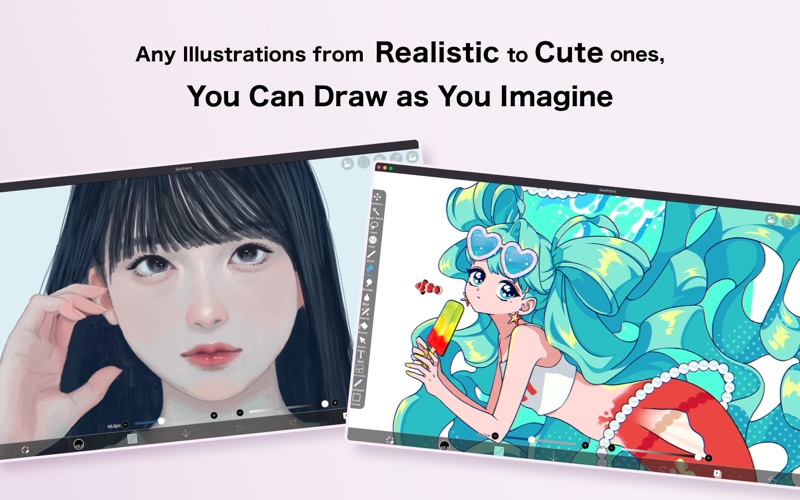
ibis Paint is a popular and versatile drawing app downloaded more than 480 million times in total as a series, which provides over 47000 brushes, over 27000 materials, over 2100 fonts, 84 filters, 46 screentones, 27 blending modes, recording drawing processes, stroke stabilization feature, various ruler features such as radial line rulers or symmetry rulers, and clipping mask features. *YouTube channel Many tutorial videos on ibis Paint are uploaded to our YouTube channel. Subscribe it! https://youtube.com/ibisPaint *Concept/Features - Smooth and comfortable drawing experience realized by OpenGL technology. - Recording your drawing process as a video. - SNS feature where you can learn drawing techniques from other users' drawing process videos. *Features ibis Paint has high functionality as a drawing app along with features of sharing drawing processes with other users. [Brush Features] - Brushes with fluid strokes that glide effortlessly. - Over 47000 kinds of brushes including dip pens, felt tip pens, digital pens, air brushes, fan brushes, flat brushes, pencils, oil brushes, charcoal brushes, crayons and stamps. - Various brush parameters such as starting/ending thickness, starting/ending opacity, and initial/final brush angle. - Quick sliders that allow you to quickly adjust brush thickness and opacity. - Real time brush previews. - Original brush patterns [Layer Features] - You can add layers as many as you need with no limit. - Layer parameters that can be set to each layers individually such as layer opacity, alpha blending, adding, subtracting, and multiplying. - A handy clipping feature for clipping images, etc. - Various layer commands such as layer duplication, import from the photo library, horizontal inversion, vertical inversion, layer rotation, layer moving, and zooming in/out. - A feature for setting layer names to distinguish different layers. - Adjustment Layers that let you modify filter effects at any time [Manga Features] - Advanced text tool function featuring Vertical, Horizontal, Stroke, Font select, and Multiple text functions. - 46 screen tone functions such as Dot, Noise, Horizontal, Vertical, Slash, Cross, Square, etc. *Purchase plans for ibis Paint ibis Paint for Mac is a free download app. Immediately after downloading, the app is in free mode and there is a one-hour daily time limit for editing your artwork. By purchasing Pro Add-on within the app, the one-hour daily limit will be removed. Also, if you purchase Pro Add-on, you will receive benefits such as pro filters. If you purchase a "Prime Membership", you will be able to use all of ibisPaint's functions in addition to the removal of one hour limit per day. [Prime Membership] Prime features are available to Prime Members. A free trial is available for the first 7 days for monthly plans, and for the first 1 month for annual plans. As a Prime Member, you will receive the following services: - 20GB of cloud storage capacity - Advanced vector features (*1) - Advanced Shape Tools (*1) - Prime Materials - Prime Canvas Papers - AI Disturbance - Prime Fonts - Prime filter - Pro filter(*1) - Pro Adjustment Layers(*1) - Surrounding Fill・Surrounding Eraser(*1) - Artwork folder feature(*1) - Import original brush patterns(*1) - Remove watermark from videos(*1) - Plus many other features exclusive to Prime Membership! (*1) Also available with purchase of the Pro add-on. * The free trial period for “Prime Membership features” in the Mac version is 7 days for monthly plans and 1 month for annual plans. If you do not cancel automatic renewal at least two days before the end of the free trial period, you will be charged for automatic renewal. * We will add premium features in future, please look out for them. *Questions and support Questions and bug reports in reviews will not be responded to, so please contact ibis Paint support. https://ssl.ibis.ne.jp/en/support/Entry?svid=25