Plates by Splitwise

Plates by Splitwise

By Splitwise, Inc.

  • Category: Utilities
  • Release Date: 2013-07-29
  • Current Version: 1.4
  • Adult Rating: 4+
  • File Size: 2.87 MB
  • Developer: Splitwise, Inc.
  • Compatibility: Android, iOS 12.0
Score: 4.3173
4.3173
From 873 Ratings

Description

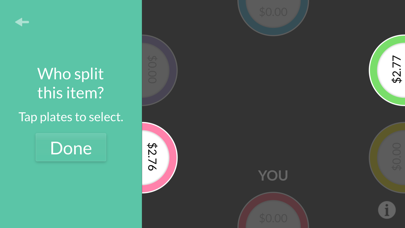
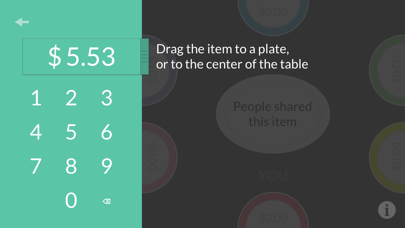
The quickest, easiest way to split the check at a restaurant. Add items and drag them right on to people's plates, and watch the totals update in real time. Figuring out who owes what has never been so simple and so fun. - Add up to 10 people - Drag items to individual plates, or split shared items like appetizers - Calculate tax and tip - Want to save time? Enter the most important items, then hit "Split the rest" to share the rest evenly.

Screenshots

Reviews

  • app doesn’t work

    1
    By okokokok12345678
    app doesn’t let to enter item individually. Only equal split works
  • Custom Tip Amount

    4
    By Jonathan Cao-Nguyen
    Love the app! Been using it forever but this seriously needs to have a custom tip amount and not ONLY the percentage toggle.
  • Easy to Split cost

    4
    By 2Pinnz
    I have used this since college and its been a good 6 years! I love this app, it makes splitting meal receipts so easy so I can charge the exact amount on venmo. I saw their most recent update. I think they added a back button, which I appreciate bc previously I had to start all over if I made a mistake. Only one suggestion would be is that I wish they had a toggle for tip to be calculated before or after tax. The app calculates it before tax, but a lot of restaurants I go to calculates the automatic tip button with the tax added on :-( I hate capitalism but nothing I can do to change. I think it would be cool to have a toggle for that. Without it, the total is kinda off. Another suggestion would be to adding a custom tip amount that could be calculated too if possible! Other than that, thank you for this amazing app!
  • Where is the share button?

    3
    By Mad dog 16
    I keep reading online that you can share it to Splitwise. I can’t figure it out. Also I assigned the names to the plates but you can’t see them in like a type of summary to send out to friends either or even screenshot the end result. I have been doing that then writing the peoples names in using the markup in photos. I feel like that is doing way too much. Am I missing something?
  • Great app, terrible design

    1
    By PointPleasantMM
    The app itself is almost perfect but it’s hindered by an auto-horizontal mode that makes it impossible to flip between other apps like door dash and this one because everything else is designed vertically. Makes no sense to require users to turn their phones sideways to use it.
  • missing receipt photo upload

    4
    By bettzk15
    This app is amazing. Use it every time when we go out with friends. The only thing missing that would make it perfect would be if there was a feature where you could take a photo of the receipt & it itemizes everything and then you can drag to the different plates. When it’s a big order, it just takes a long time adding every item.
  • Helpful for splitting bills

    5
    By Gigi K. R.
    Great!
  • Let me split shared items unevenly and other updates pls

    4
    By RN00123
    Love this app so much - makes it so much easier to do what I normally would on a calculator. However it falls short of 5 stars because of some additional features that I wish it had: -ability to split shared items unevenly like 60% 40% for example. splitwise has this feature by percent, part, fraction, and more. -ability to put an exact dollar amount for tip instead of the sliding percentage scale, which only gives you discrete rather than continuous tip options -ability to name the plates cuz it’s easy to forget which plate is for who especially in bigger groups With these updates this app would easily be 5 stars.
  • Great app, but needs the option to add names!

    4
    By michs02
    Great app, but when splitting a bi among a large group, it’s hard to keep track of which plate belongs to which person. Would be 5 stars if they added that functionality!
  • Allow manual tip entry

    4
    By Kjb0409
    I agree with all the other reviews: I want to enter my tip manually (ie, type it in). I often make my tip a certain amount so the end total is a whole dollar (e.g., 12.46 + 2.54 tip = 15, but 20% would be 2.49) and this doesn’t work well with that.

keyboard_arrow_up