Music Memos - Chords & Lyrics

Music Memos - Chords & Lyrics

By Nomad AI OU

  • Category: Music
  • Release Date: 2023-05-10
  • Current Version: 2.0.0
  • Adult Rating: 4+
  • File Size: 384.05 MB
  • Developer: Nomad AI OU
  • Compatibility: Android, iOS 16.0
Score: 4.2
4.2
From 55 Ratings

Description

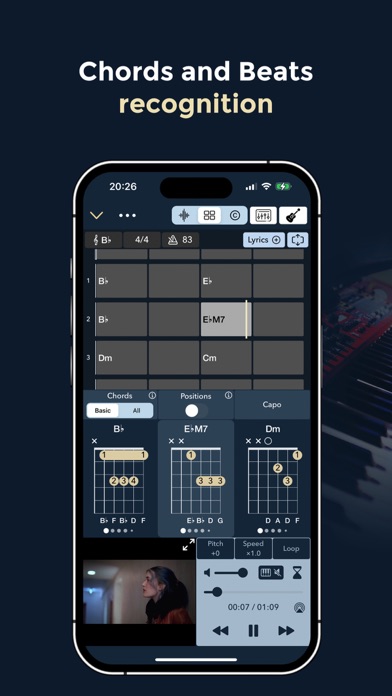
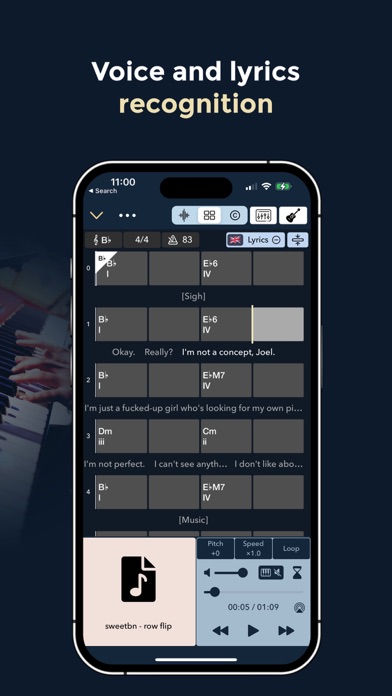
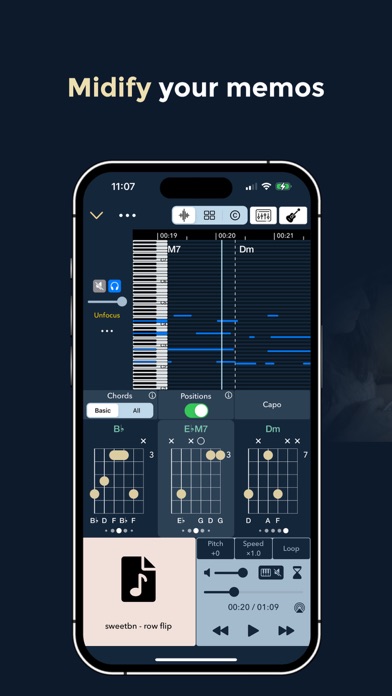
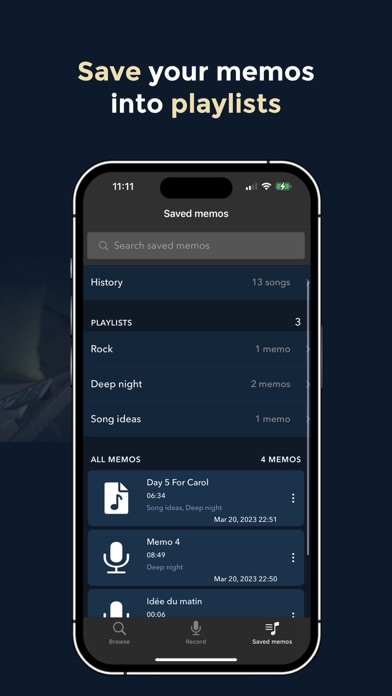
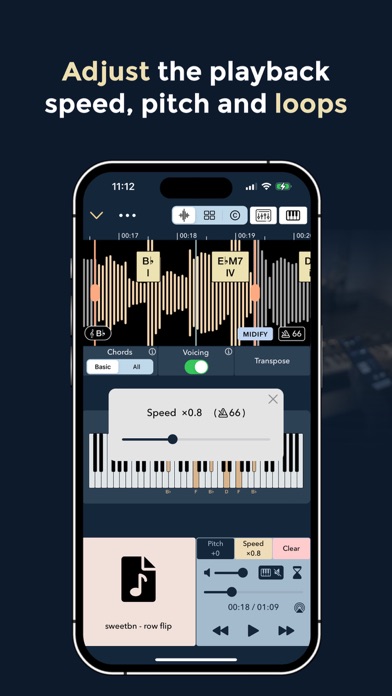
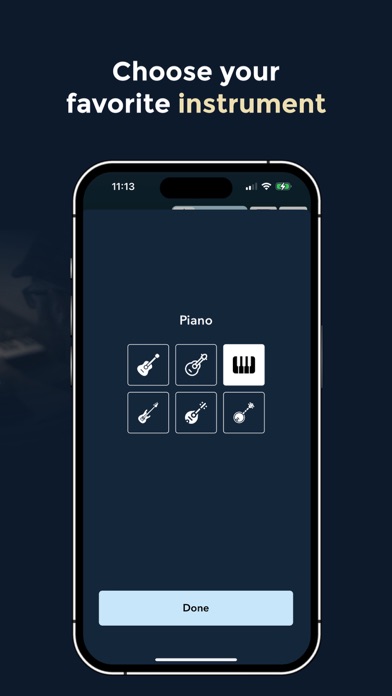
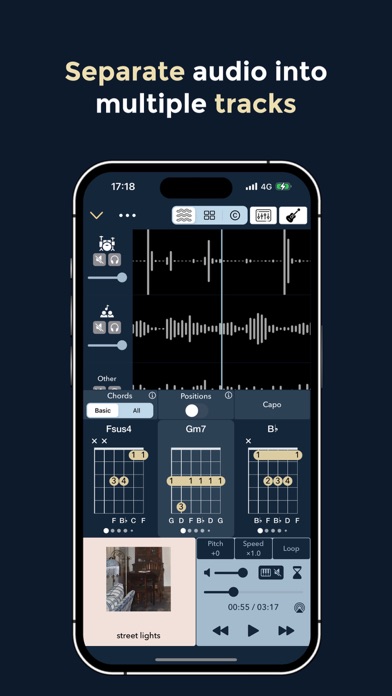
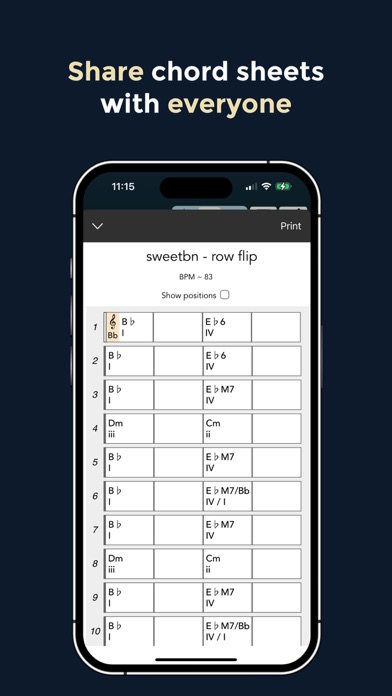
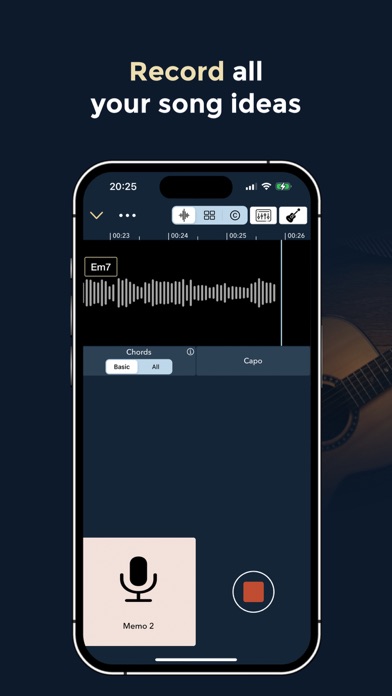
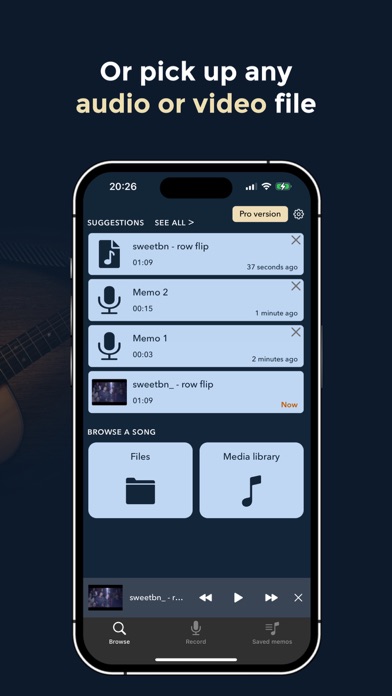
Music Memos lets you record yourself and get chords, beats, lyrics, midi track and much more though advanced on-device AI algorithms. Music Memos keeps your memos safe and synchronised across all your device. You will never lose your melody and song ideas again! ** RECORD YOURSELF OR YOUR BAND ** - Create music memos simply by recording yourself through your device or an external microphone ** IMPORT AUDIO OR VIDEO FILES ** - You can also import any audio files (wav, m4a, mp3 etc.) and get it processed by Music Memos in a few seconds ** MIDIFY ** - State-of-the-art audio to midi conversion - Export midified audio as a midi file ** CHORD RECOGNITION ** - Common chords and advanced chords recognition: Music Memos can recognize common chords such as major, minor, augmented, diminished, 7th, M7th, sus2 and sus4 chords. If you unlock the pro version, it also recognises advanced chords such as power chords, half-diminished, dim7, 6/9/11/13, add9/11/13 and many more complex jazzy and beautiful chords such as 69, 11b5, 13b9, 9sus4, min7add13 etc. - Slash Chord Recognition: Music Memos tells you the bass/lowest note of each chord using the slash notation ** BEAT TRACKING ** - Music Memos uses state-of-the-art beat tracking algorithms to display chords organised into bars and beats ** LYRICS RECOGNITION ** - On-device lyrics recognition using the latest advances in the field of speech recognition. Nearly 100 languages supported including English, Spanish, Japanese, Portuguese and many more! ** CHORD VOICING & POSITION RECOGNITION ** - Voicing & Position recognition: Music Memos is the world's first app capable of recognising not only chords, but also their specific voicing. This means that Music Memos can tell you more precisely which notes should be played, including their octaves, and which positions match best with the song [Pro version] ** SEPARATION INTO MULTI TRACKS ** - Automatic music separation into 4 stems (Bass / Drums / Vocals / Other) with state-of-the-art quality ** ADVANCED REPLAY CONTROLS ** - Speed change: Slow down or speed up playback at your wish so that you can play easily along the song - Pitch shift: Change the pitch of the song to play in your desired key - Loop: the interface for setting loop start/end points is very simple and intuitive ** SAVE & SHARE ** - Save memos and build your own playlists - Saved memos are synchronised among all your iOS devices - Share transcriptions as PDF files or as a link ** PIANO / GUITAR / UKULELE / BASS / MANDOLIN / BANJO ** - Select your preferred instrument among always growing list of supported instruments - Smart capo: you can also let Music Memos tell you preferred capo for either easiness of play of song matching [Pro version] ** LEARN NEW AND BEAUTIFUL CHORD POSITIONS ** - Find and learn chords from Music Memos' massive chord positions library (more than 100k guitar positions, > and more than 10k ukulele positions) - Positions ranked from easiest and common to most difficult and rare - Alternate tunings for guitar and ukulele such as Drop D, DADGAD, Open D/G/A/C etc. [Pro version] Any feedback appreciated at [email protected] Privacy policy: https://www.chordai.net/privacy-policy-music-memos/ Terms of use: https://www.apple.com/legal/internet-services/itunes/dev/stdeula/
Screenshots

Reviews

  • Excellent set of features!

    4
    By Jdc1524
    I am enjoying exploring this app and am considering upgrading. I think it has a great set of features, including speech recognition, along with chord. recognition, tempo and key. I only wish there was a way to change the file names. Being stuck with "memo 1" makes it hard to know which file I have recorded.
  • Very Cool App. Now that major bugs are corrected, I can recommend Five stars.

    5
    By Rob "The Watchman"
    Two major bugs squashed. You can now adjust the Lyrics size a bit more, and the "Language Selection" bug has been corrected. So, I can now give a Five star recommenation. This thing works FAST! Best features are the Chord recognition features. The AI lyrics features still needs "help" (as AI learns better speech recognition) The sound quality of this thing is very good. Most impressive is the customer service they provide. Vivien is very good at responding to and correcting any issues! The MusicMemos app is virtually identical to its Big Sister app Chord ai. The only difference is, Chord ai is "Subscription only", but has a couple extra features. There is still a "FREE" version of Chord ai, which is limited to (40) songs, but you gain the use of Youtube and another feature. But, the advantage of the MusicMemos little sister app is it offers a "ONE TIME" purchase option. I went for that, and use the free (limited to 40 songs) Chord ai when I want to get a song off of Youtube.
  • Huge time saver!

    5
    By WDMcM
    I had very little time to learn a set of original material for a fill-in gig. Music Memos allowed me to load the recordings in and print out useable chord charts with lyrics. The results, while not absolutely accurate, were plenty good enough to do a final listen through and jot down cues, etc. Overall, happy with the app.
  • Very confusinh

    1
    By MiasDaddy
    Very confusing, no lyrics are printed making it very difficult to play or follow the progression.
  • ..

    3
    By JonH2O
    “This time signature isn’t supported yet.” 💀
  • Almost perfect

    4
    By WEKIV
    Having paid for the professional version, I'm mostly pleased with the app, but it has some serious shortcomings: 1. Stem separation is messy, with many anomalies and limited track selection, depending on the file quality. 2. Lyric recognition often misses the mark, producing nonsensical results. I'm trying to figure out how to edit these manually. 3. Swing accuracy is inconsistent; chords sometimes fall on the downbeats instead of the swing pocket. 4. While multiple alternate tunings are great, the ability to enter custom tunings and string arrangements for double-coursed instruments would be a huge improvement. The app has amazing potential, and I hope these issues are addressed soon.
  • Great time saver

    4
    By mjwach
    I play the ukulele, and I normally spend many hours trying to get the right chords for songs I want to play. Chordify and other websites posting chords are neither convenient nor accurate, whereas Music Memos produces accurate chords and fairly accurate lyrics in seconds. My very first time using it, I found that every chord matched the original recording as I played along. Yes, I needed to tweek a few of the lyrics, but you cannot deny the time saved by using this software. I know I will continue to use this, and I've started my paid subscription.
  • Trying to cancel but can’t.

    1
    By Brl312
    Not happy.
  • Too glitchy

    1
    By Kitagrl28
    I downloaded this to take an AI song I wrote and transpose it. Not only does it not transpose, but after I deleted a key and then tried again, the “edit key” button wouldn’t even work anymore. Deleted the app and cancelled my subscription. And now they are spamming me 4-5 times per day via Apple to let me know they are fixing it. I’m still not going to change my review or buy the subscription.
  • Buggy

    3
    By Athens Ga
    Great potential but buggy. Tried the free version of Chord ai and loved the live recording feature showing a live picture of a keyboard while showing every key and chord played on my keyboard. Music Memo promised to be just like it minus the YouTube and some other channels. Downloaded and paid for lifetime license. After two days, not only I can’t change from guitar to keyboard layout (keeps spinning and never changes to keyboard) and no live picture of a keyboard or live notes being played. Only the graphical representation of the recording. Very frustrated. Happens on both iPad and iPhone. Deleted the app, reinstalled it, restarted iPad and iPhone but no luck. Will continue to use the free version of Chord ia.

keyboard_arrow_up