TP-Link Omada

TP-Link Omada

By TP-Link Systems Inc.

  • Category: Utilities
  • Release Date: 2018-05-22
  • Current Version: 5.0.82
  • Adult Rating: 4+
  • File Size: 175.56 MB
  • Developer: TP-Link Systems Inc.
  • Compatibility: Android, iOS 12.0
Score: 4.33553
4.33553
From 304 Ratings

Description

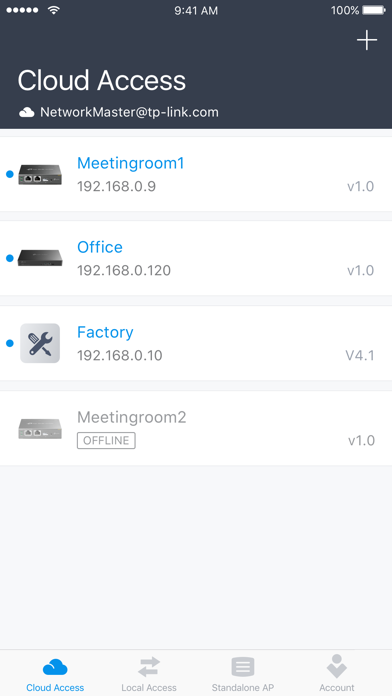
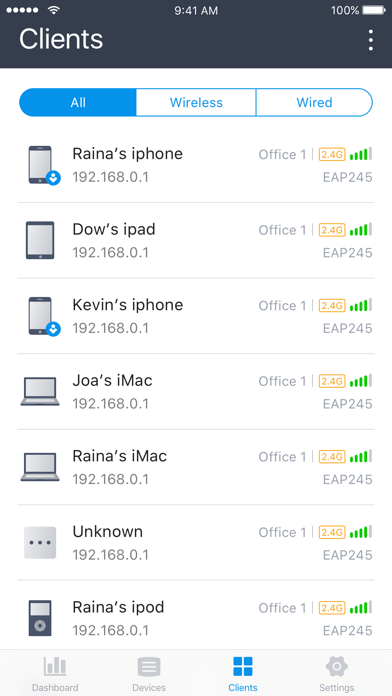
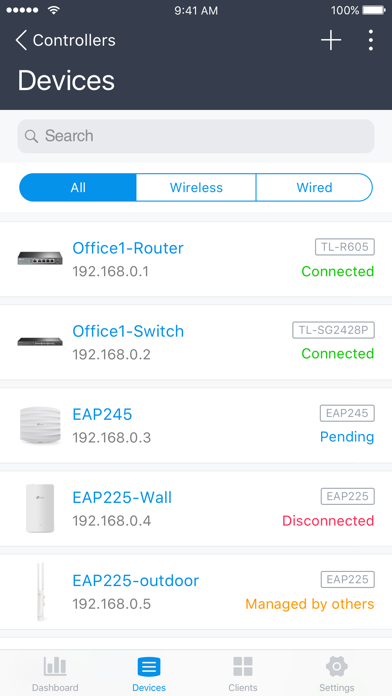
Omada app is used for configuring and managing your Omada devices. You can change settings, monitor the network status and manage clients, all from the convenience of a smart phone or tablet. STANDALONE MODE Standalone mode is designed for managing EAPs or wireless routers right away without having to spend time configuring a controller. Each device is managed separately. This mode is recommended for networks which only have a few EAPs (or wireless routers) and require only basic functions, such as home network. CONTROLLER MODE Controller mode works together with a software Omada Controller or a hardware Cloud Controller, and is suitable for managing multiple devices (including gateways, switches and EAPs) centrally. Controller mode allows you to configure and automatically synchronize unified settings to the devices in the network. Compared to Standalone Mode, more configuration options are available and supports to manage more devices in Controller mode. You can manage devices in Controller mode in two ways: via Local Access or Cloud Access. In Local Access mode, the Omada app can manage devices when the Controller and your mobile device are in the same subnet; in Cloud Access mode, the Omada app can access the Controller across the internet so you can manage your devices wherever you are. Compatibility List: The controller mode currently supports hardware cloud controllers (OC200 V1, OC300 V1), software Omada Controller v3.0.2 and above. (To experience more features support and more stable services, we recommend that you upgrade your controller to a new version). Standalone Mode currently supports the following models (with latest firmware): EAP245 (EU)/(US) V1 EAP225 (EU)/(US) V3/V2/V1 EAP115 (EU)/(US) V4/V2/V1 EAP110 (EU)/(US) V4/V2/V1 EAP225-Outdoor (EU)/(US) V1 EAP110-Outdoor (EU)/(US) V3/V1 EAP115-Wall (EU) V1 EAP225-Wall (EU) V2 ER706W (EU)/(US) V1/V1.6 ER706W-4G (EU)/(US) V1/V1.6 *The latest firmware is required and can be downloaded from https://www.tp-link.com/omada_compatibility_list. More devices supported by the app are coming!

Screenshots

Reviews

  • CTO

    5
    By CTO/CIO
    Several recent improvements. Makes managing a network of several remote sites so much easier. Keep it the good work .
  • Easy and it works well

    5
    By Bloobuud
    Works well maybe better than before
  • Too slow

    2
    By Pog pig dog pig loaf of bread
    Every single action is slow. Log in, enter site, client list. Just too slow to function. Even with brand new phone and on fast wifi. App is SLOW.
  • Stopped working

    3
    By cwk619
    Error message says “incompatable organization “. No one at support seems to know what it means?
  • No longer works

    1
    By Dr_M-2010
    Worked great until recently and now I cannot load my system because I get “incompatible organization” errors. Can’t figure out how to fix them and the app is updated.
  • Perfect

    5
    By lxxxxxxxxx111
    Good
  • Constant 2FA prompts are annoying!

    1
    By DocSharpie
    Every time I launch the app I’m prompted for my 2FA code. This wouldn’t be so bad if the 2FA field allowed you to use your password manager (eg 1Password) to autofill the code. But the field requires you to either type or manually paste the code yourself, and to make things worse, there’s no “submit” button. You have to tap away from the 2FA code field to slide the field entry label down in order to reveal the submit button. The app should be redesigned to allow you to use FaceID to authenticate after submitting a valid 2FA code. Right now it’s super annoying to launch the app just for basic usage.
  • Very Good - But enhancement

    1
    By knjpoll
    Please store my display and sorting options for clients and devices, or allow my to set the default for display and sorting options.
  • No Privacy

    1
    By AnomalousBit
    Requires your location or refuses to load… to set up a WiFi router on your local network? Pretty clearly they are selling your personal data, even if it’s been “anonymized” it’s enough to identify you through a data broker.
  • Thanks

    5
    By alnasery123
    Thank you very much

keyboard_arrow_up