Paprika Recipe Manager 3

Paprika Recipe Manager 3

By Hindsight Labs LLC

  • Category: Lifestyle
  • Release Date: 2017-11-15
  • Current Version: 3.8.3
  • Adult Rating: 4+
  • File Size: 11.15 MB
  • Developer: Hindsight Labs LLC
  • Compatibility: Android, iOS 10.13

Description

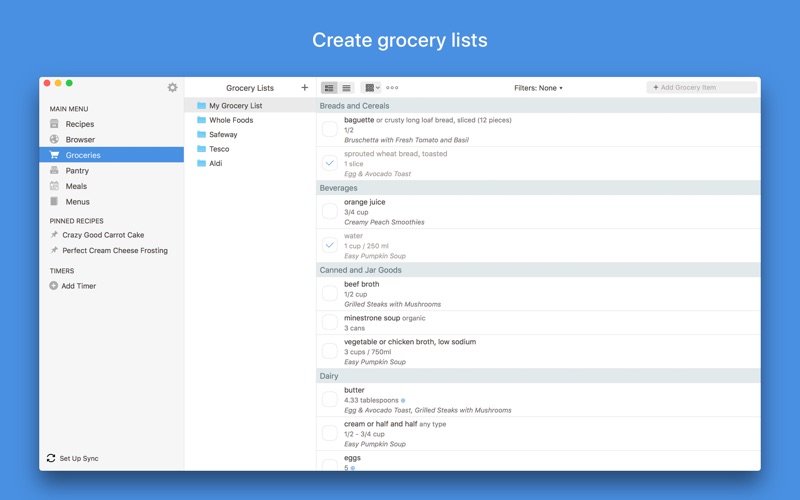
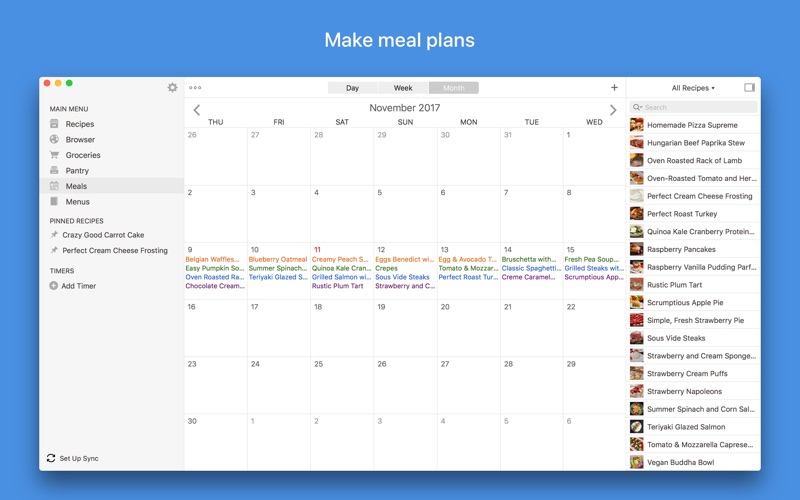
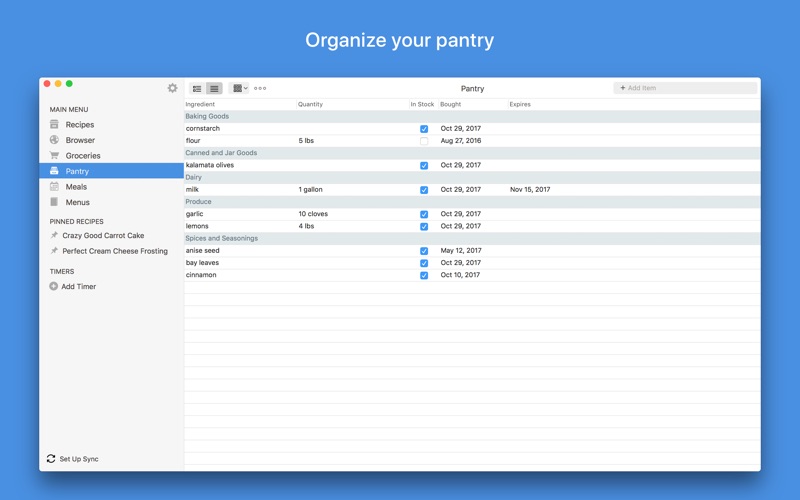
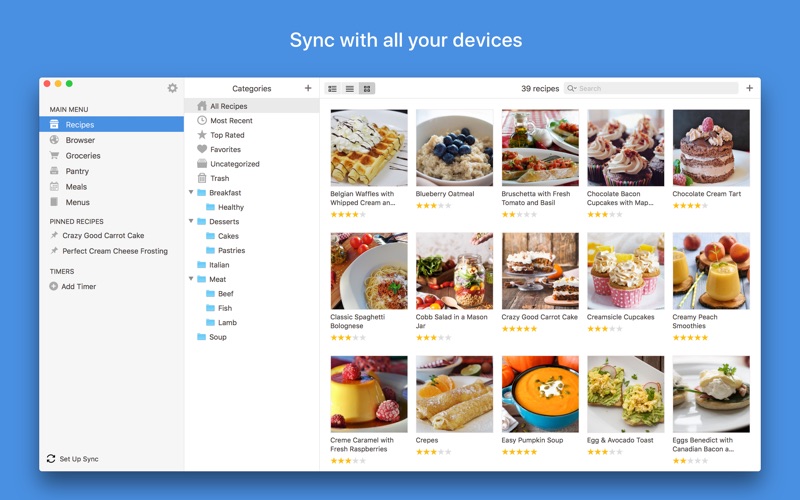
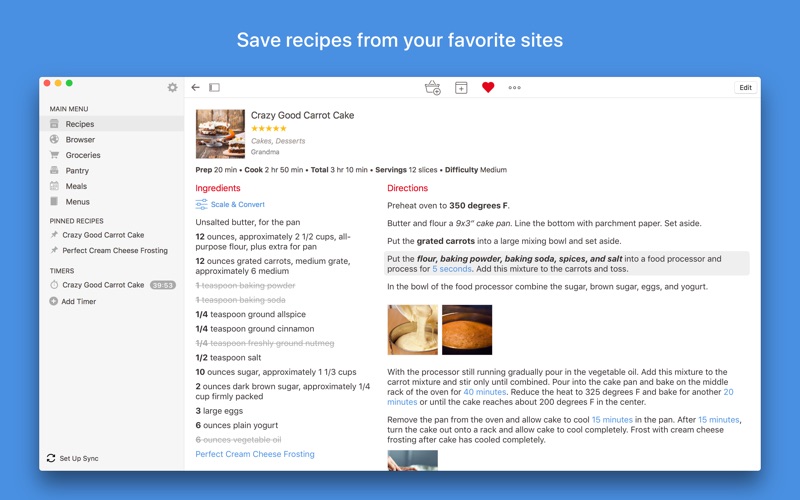
Organize your recipes. Create grocery lists. Plan your meals. Download recipes from your favorite websites. Seamlessly sync to all your devices. Features • Recipes - Download recipes from your favorite websites, or add your own. • Grocery Lists - Create smart grocery lists that automatically combine ingredients and sort them by aisle. • Pantry - Use the pantry to keep track of which ingredients you have and when they expire. • Meal Planner - Plan your meals using our daily, weekly, or monthly calendars. • Menus - Save your favorite meal plans as reusable menus. • Sync - Keep your recipes, grocery lists, and meal plans synced between all your devices. • Adjust - Scale ingredients to your desired serving size, and convert between measurements. • Cook - Keep the screen on while cooking, cross off ingredients, and highlight your current step. • Search - Organize your recipes into categories and subcategories. Search by name, ingredient, and more. • Timers - Cook times are automatically detected in your directions. Simply tap on one to start a timer. • Import - Import from existing apps such as MacGourmet, YummySoup!, MasterCook & Living Cookbook. • Export - Export your meal plans to Calendar and your grocery lists to Reminders. • Share - Share recipes via AirDrop or email. • Print - Print recipes, grocery lists, menus, and meal plans. Recipes support multiple print formats including index cards. • Extensions - Save recipes directly in Safari and view today's scheduled meals. • Bookmarklet - Download recipes from any browser straight into your Paprika Cloud Sync account. • Offline Access - All of your data is stored locally. No internet connection is required to view your recipes. What's New in 3.0 • Add multiple, full-sized photos to each recipe. Embed photos in your directions. • Insert links to other recipes or websites in your ingredients or directions. • Format recipes using bold and italics. • Convert ingredient measurements between standard and metric. • Search for recipes across multiple categories. • Add custom aisles to your grocery list and re-arrange them in your preferred order. • Create multiple grocery lists. • Add custom ingredients to the pantry. Track quantities, purchase dates, and expiration dates. • Move items back and forth between the pantry and grocery list. • Add custom meal types to the meal planner. • Create reusable menus that span multiple days. Platforms Paprika is available on multiple platforms so you can access it on all of your devices. Please note that each version is sold separately.
Screenshots

Reviews

  • The best.

    5
    By reelneildeal
    Love this app so much, I’ve bought it on every platform. Incredibly useful, no junk or subscription nonsense.
  • Best App Everd

    5
    By Elsie1961
    I’ve been using this app for years, I don’t know how I would manage cooking without it.
  • Great conversions and AI features

    5
    By Dave from Charleston
    I had a large database of recipes collected over many years and stored in MacGourmet, which is no longer supported and was acting up in Mac Sequoia. Fearful of losing my large collection, I tried Paprika. It imported my catalog of over 1000 recipes from macGourmet within seconds. Custom categories, too! I was delighted. I also like the ability to see my entire database (cloud-supported by the software company) on my cell phone upon purchasing a second copy of the app for my cell phone. A few quirks: (1) in manual data entry, bold and italic text don’t show as WYSIWYG, just marked with markdown symbols. (2) output formatting is rudimentary, not as pretty as MacGourmet, although aging eyes do appreciate the enlarged text options. (3) It imports very well from popular recipe sites, but not from PDF or Word files, requiring some manual cut and paste. Used for a few months now, and it’s been bulletproof.
  • Even better

    5
    By Markov in Oregon
    I have been using the Paprika recipe manager for several years. It get better and better, and I learn more of its capabilities. Some strong features include smooth transitions from searching for to saving to editing recipes.
  • Best Recipe Manager Yet

    4
    By ksdiguardian
    Updated 12/30/2025 One more request: While I don’t use the menu option as much, when I do use it, there is a major feature missing. I am planning my event, adding recipes for the menu and the one thing Paprika does not have is the ability to scale recipes by the number of servings needed. Each recipe has a servings attribute but now I am planning a party and need all recipes scaled to accommodate the number of guests I will have. I will have to go through each recipe and scale by some factor rather than say I need X number of servings and then do that for every one. Ugh. :( ————— Absolutely love this app. My most used feature is the browser where I can download online recipes and save them. Plus it helps my wife and I to plan means for the week, set the grocery list and buy exactly what is needed which helps cut food waste. Least used is the Menu. I think I've used it once for a holiday dinner. If I had 1 request, it would be that it would link ingrdients to the nationally published nutrition values so that nutrition data could be calculated for a recipe.
  • Essentail Recipe Storage

    5
    By CRPB03
    If you are ANY kind of chef at all, you need this app. Just buy it. It’s a ridiculously great value.
  • Keyboard shortcuts would improve the app

    4
    By MacGE26
    I would like to be able to move through recipes using keyboard shortcuts instead of a mouse. It would also be nice when searching recipes to move to the next or previous recipe in the search results, similar to email messages in most mail programs.
  • One of my most used apps

    5
    By sjayf98
    Paprika 3 is incredible and I am sure it has saved my family thousands of dollars in food waste over the years. I tell everyone about it anytime meal planning is brought up. If you are on the fence use this as your sign to get it!
  • Love it but some fixes would make it even better

    5
    By Econbuff
    Nitpicking here but — Allowing keyboard shortcuts for all functions would be a huge plus for some people, like Esc to get out of a search. Also a Duplicate Search and elimination function would help when 2 or more copies of the same recipe were imported.
  • Incomplete instructions

    3
    By Ericthemoose
    I like almost everything about this app except that it is unclear how to use the Cloud storage function…

keyboard_arrow_up