Rozeta Sequencer Suite

Rozeta Sequencer Suite

By Bram Bos

  • Category: Music
  • Release Date: 2017-11-15
  • Current Version: 1.3.16
  • Adult Rating: 4+
  • File Size: 3.43 MB
  • Developer: Bram Bos
  • Compatibility: Android, iOS 11.0
Score: 4.77852
4.77852
From 149 Ratings

Description

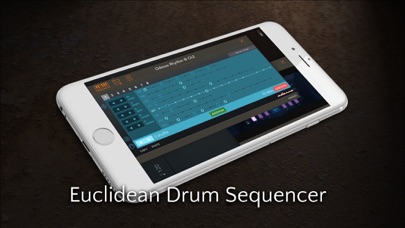
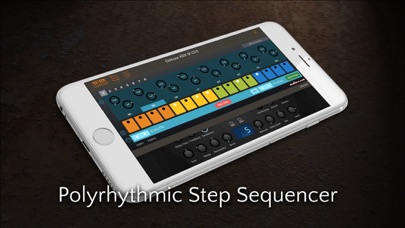
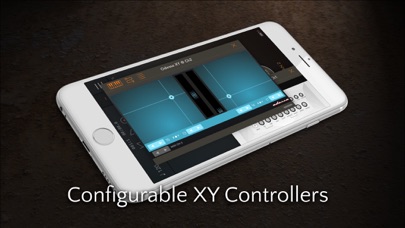
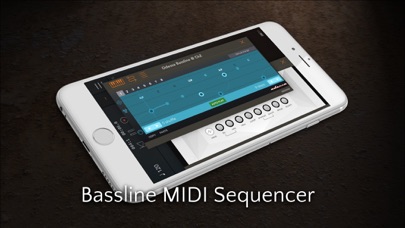
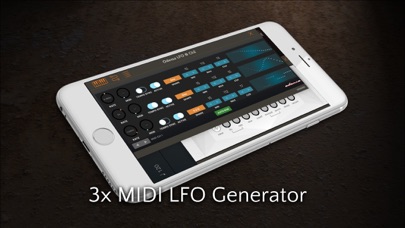
Rozeta is a suite of MIDI sequencers and controllers that lets you explore a new, freeform approach to sequencing and controlling mobile music apps. The app contains 10 MIDI Audio Units (a totally new feature in iOS11) in a single package, which can be loaded in compatible MIDI AU hosts (AUM, Cubasis 2, ApeMatrix, Sequencism). 1) Rozeta Bassline: a monosequencer based on the popular Troublemaker sequencer. Obviously comes with all the randomization and mutation features. Up to 8 patterns per sequence, with Follow Actions. Transpose using MIDI. 2) Rozeta Rhythm: a euclidean drum sequencer with mutations per instrument and polyrhythms. Comes with configurable key mappings for many popular drum apps. 3) Rozeta X0X: classic TR-styles step sequencer for drum machines. Supports triplets, polyrhythms and mutations per channel. Optionally emulates the exact timing jitter pattern of the legendary TR-808 4) Rozeta LFO: a triple MIDI LFO generator lets you modulate CC parameters of your MIDI instruments. Apply amplitude modulation to each wave for more organic behavior. Optionally syncs to tempo. 5) Rozeta XY: a double XY Controller Pad for generating 4 simultaneous configurable CC controller streams per instance. Also features MOD wheel and PitchBend sliders. 6) Rozeta Arpeggio: adds a MIDI arpeggiator to any of your synths. Offers latch mode, shuffle and automatic tempo synchronization. Turn any incoming MIDI stream into an arpeggio on the fly. 7) Rozeta Particles: MIDI particle generator - generates a cloud of MIDI notes that create pseudo-random patterns when bounding off the walls. 8) Rozeta Cells: Polyphonic Step Recorder - record and play back polyphonic phrases and patterns. 9) Rozeta Collider: MIDI Hadron Collider - explore semi-repeating generative patterns and melodies. 10) Rozeta Scaler (NEW): MIDI Scale Quantizer and Transposer - tune incoming MIDI to a different scale, never play out of tune again. Notes: - these plugins do not run as a standalone app and require a compatible host to work - MIDI is not sound. To make sound you'll have to feed the MIDI into a synthesizer or instrument app. Bring your own synths!
Screenshots

Reviews

  • The best used by the best

    5
    By EthanGross
    Bram’s apps are no secret some of the best around and at an affordable cost. This is a great value.
  • Essential MIDI tools

    5
    By JoeFuture
    A great pack of super useful MIDI sequencing tools. Easy to learn and to use.
  • Worth it for Scaler alone

    5
    By zaccda01
    I have simple needs...be able to transpose or lock in scales with the push of a (midi controller) button. I tried Scaler, which was perfect except for a bug that cut off notes instead of quantizing them. So I looked for alternatives...ScaleBud, MF Scales, Xequence... NONE of these could do the simple task that Rozeta Scaler could. So in my despair I contacted the Scaler developer about the bug I was running into. Boom the app was updated and the audio glitch was fixed the next day...unbelievable. This suite is SO useful and easy to use, it’s crazy how none of the alternatives even come close.
  • Great collection of sequencers

    5
    By Hamachi chop chop
    This is a Great collection of sequencers . Good user interface experience with these. All my Bram Bos apps are great.
  • Really great set of MIDI sequencers and tools, almost perfect

    4
    By DB1983_ok
    Rozeta is a diverse set of MIDI sequencers and tools which are really easy to understand right away. I’ve found them all to be very stable, with low CPU usage and thoughtful design. Two wish list items if there’s ever a v2, which would make the implementation perfect: 1. Wider array of clock divisions for the sequencers (two bars just isn’t enough as an upper limit for slow sequences). 2. A way to reset the LFOs, either via a MIDI note or by indicating a phase position relative to the MIDI clock. I don’t really understand why it can sync to tempo but doesn’t allow you to specify phase. Even without these two features, it’s a no brainer to buy it at this price. Truly a great value. Buy it and you won’t regret it.
  • Brilliant

    5
    By Wilhelm Scream!
    Without exaggeration, much of the love I have for creating music on my iPad stems from these amazing apps. From the moment I launched this suite in AUM, I was using it to create sounds and tracks. They are easy to use once you get the swing, and they have depth. Bram Bos is a genius. Thank you for making these apps!
  • Some good tools, mediocre arpeggiator

    3
    By 77JAMES J77
    The arpeggiator has no control for gate time and it seems to be cutting notes short, making it difficult to run 1 instance into a second for more complicated arpeggios. But the UIs are clean and easy to understand.
  • Fantastic!.

    4
    By U.K. an
    If only I could do my own rhythm patterns in the drum Euclidean sequencer.
  • Psh

    1
    By Justin816
    I can’t even open this thing. Waste.
  • Lots of good starting tools with limited workflow caveats.

    4
    By Myrkskog
    X0X, Bassline, and the LFO/XY controllers were the reason for purchase. Was hoping to get a similar workflow to Electribe wave with x0x because Korg didn’t provide midi out for that app. The main thing I like better about Korgs step sequencer is that the note are one touch on/off which allows you to slide across several and toggle them quickly. I would prefer that method instead of having to click the note a second time to toggle it off. Setting up the iM1 to toggle with x0x in AUM took forever to set up because they don’t list the keyboard note only the number. I made a chart in excel to resolve this, but there should be a note learn button or something so I can find the sample in iM1 on the keyboard and press it to auto learn the correct key for the drum. There is also no way to trigger the note without playing the pattern which is just another nice thing. Not being able to save preset kits within x0x is limiting as well. I absolutely love bassline and think it’s an amazing tool for just diving in to a song from scratch. My plan is to send automation info in to Cubasis,gadget, or other iOS synths via these units. There could be a bit better documentation because I couldn’t get this to work at all with beatmaker 3. I inserted it as a midi effect and the pads/keyboard light up like the plugin is working but no sound comes out of my synth unless I press a key in beatmaker. If you’re new to iOS music making this must be combined with a AUM, or other iOS DAW that supports audio units.

keyboard_arrow_up