InvoiceAir: Invoice Generator

InvoiceAir: Invoice Generator

By Moon Technolabs Pvt Ltd

  • Category: Business
  • Release Date: 2016-05-24
  • Current Version: 6.5
  • Adult Rating: 4+
  • File Size: 59.88 MB
  • Developer: Moon Technolabs Pvt Ltd
  • Compatibility: Android, iOS 12.0

Description

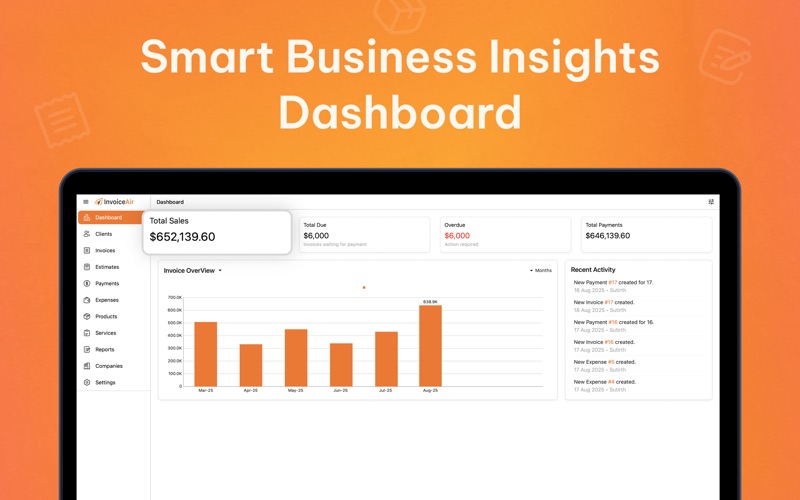
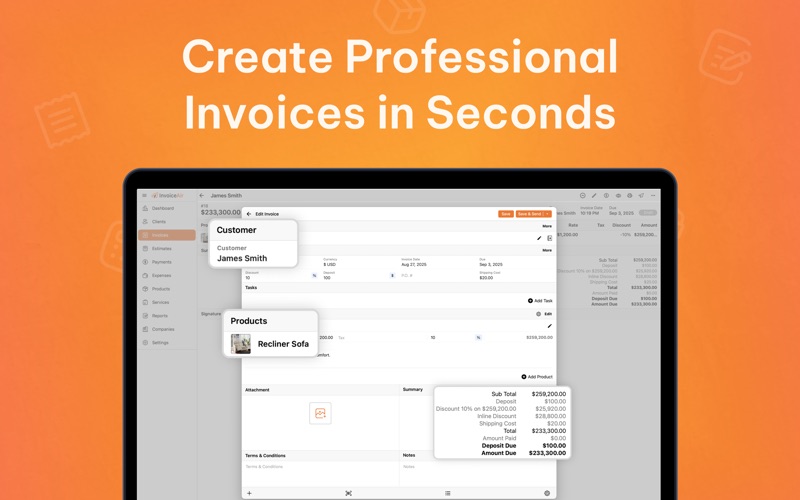
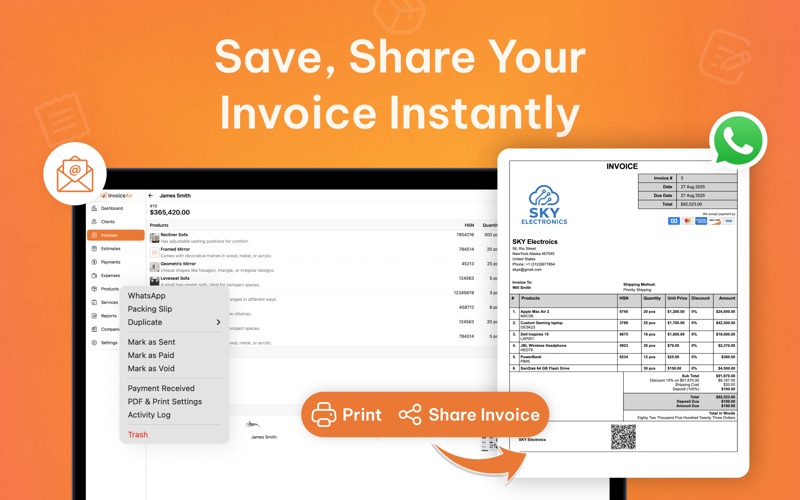
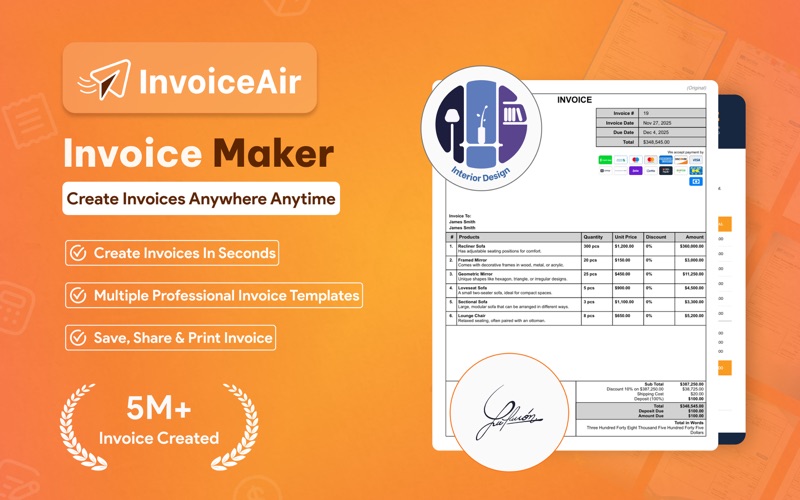
InvoiceAir – Invoicing Made Smarter for Mac Easily create and send professional invoices, estimates, and receipts right from your Mac. Whether you’re freelancing, running a side hustle, or managing a small business, InvoiceAir gives you everything you need to stay organized and get paid faster. For growing businesses who want: - A simple way to create invoices, estimates, and receipts in minutes - Professional-looking documents you can send instantly from your Mac - An easier way to track expenses, manage clients, and accept payments From a consulting invoice to a receipt for your creative projects, InvoiceAir is the perfect tool for your business. 6 Ways InvoiceAir Helps Simplify Your Finances 1. Simple to Use No confusing menus or wasted time - just quick, intuitive invoicing. 2. Create Anywhere, Anytime At your desk or on the go with your MacBook, InvoiceAir makes creating invoices effortless. 3. Stay Organized All your invoices, estimates, expenses, and payments in one place. Taxes and reporting become stress-free. 4. Look Professional Polished templates help your business stand out with branded, client-ready documents. 5. Get Paid Faster Track payments, record what’s due, and send reminders. Stop chasing checks and focus on growth. 6. Manage With Confidence Built for freelancers, contractors, and small businesses who want to stay in control. Customize Every Invoice & Estimate - Add your logo and business details - Save and autofill client information - Apply taxes, discounts, and notes - Track products and services with itemized entries - Generate detailed reports to see where your money is going - Export or share as PDF anytime Send invoices or estimates via email, PDF, or share link. Get alerts when payments are received or documents are overdue. Subscription Details - Subscriptions available in 1-week, 1-month, and 1-year plans - Payment will be charged to your iTunes Account - Subscription automatically renews unless auto-renew is turned off at least 24 hours before the current period ends Terms of Use: https://www.moonapps.io/invoiceair/terms-of-use/ Contact Us: [email protected]
Screenshots

Reviews

  • Very easy to handle

    5
    By acido 24
    I got a double charge in the same year, as a result I left the app, but I don't know if I got different suscriptions through app and web, later I realized Moon Invoice is top of the line for me, and here I am back where I belong. The New Change over to Invoice Air made a confusion with the categories i had in place, the format is some what different, let me know in the response any reply for this comment.
  • The Right Choice

    5
    By CHRR LLC
    Moon invoice is a great company t work with. I been using their invoice system for a long time and I’m very satisfied with their services.Grest
  • Great Invoice Generator!

    5
    By HTownChowDown.com
    I’ve been using Moon Invoice for years to do the invoicing for my small business. It does an excellent job; it’s fast, easy to use, and powerful. I love that I can do invoicing on my Mac, but if I’m in the field with a customer, I can look up their invoices on my iPhone or iPad. It’s a terrific product at a terrific price. Highly recommended.
  • Easy to use & all-in-one!

    5
    By R&G Finish Construction
    I've been using Moon Invoice for a little while now, and it's been such a great help in keeping my business organized. What I love most is how easy and user-friendly it is — even if you're not super tech-savvy, you can navigate everything without a problem. It's truly an all-in-one tool: invoicing, expense tracking, estimates, time tracking — everything is right there in one place. This has saved me so much time and stress! I also appreciate how organized it keeps all my documents, which makes running things smoothly so much easier. If you're looking for a simple but powerful way to manage your business finances, I definitely recommend giving Moon Invoice a try!
  • system failure

    1
    By Thinktank!
    tried everything even called the 24hr phone line and no answer
  • Decent app, scattered interface

    1
    By Bad_Bandit
    UPDATE: Do not buy this app! You’ve been warned. The dev constantly roll out gimmicks they call “features”. They’re all pointless, but break needed functionality. Currently they have 2 separate builds of this app on the App Store. Both versions are broken in different ways, forcing me to do some stuff in one app, then switch to the other to do other tasks. DO NOT BUY THIS APP! This app does a good job of what it is intended to do. If you need a relatively inexpensive app for managing quotes, invoices, time tracking and the like, this offers many useful tools and is simple to get up and running. It is, however, somewhat scattered and non-intuitive. For example, to import a contact from the Contacts app, you can click and hold on the little icon next to the name field, when creating a new invoice in the Invoice tab. But no such button exists for importing contacts in the Contacts tab! Huh???? The main settings are distributed across two sections in the Settings tab: App Settings and PDF Settings. The distinction between these two sections is fuzzy. There's also another tab called Companies. Guess what's in there... Yep, more settings. Why aren't the Companies settings in the Settings tab? Dunno. And finally, last time I checked, setting up Venmo as a payment method was convoluted and involved creating a third party account with another provider. Support told me that changes were coming here, but I haven't checked since. This app does what it promises to do. It is just hindered by non-standard app layout and poorly conceived layout.
  • Love this app - easy to use

    5
    By JessN47
    I've used this app for many years and love it! It's really intuitive and easy to use, and it's priced affordably. I looked through many options before finding Moon Invoice, and it does my basic invoicing/account keeping very well!
  • Web version is OK. Desktop and mobile apps are problematic.

    3
    By Kenobbi1
    I have been using Moon Invoice for years. In all those years, the desktop application and the mobile application have consistently been plagued with syncing issues and email deliverability issues. The desktop app when using moon sync, simply will not update when payments are made consistently. They have to be manually updated. Data is not synced, accurately or consistently between the desktop and the mobile apps. The saving grace is that using the web version on both desktop and mobile seems to work much better.
  • horrible app

    1
    By Frankie Passos
    keep frozen up. really slow. def np good
  • doesnt work

    1
    By mario Aa1
    So I have been using moon invoice for years . As of teo weeks ago the program will open on my Mac but immediatly close . I have called numerous times to their call center (in India). With no uck or response to my emails . Four times they have promised to send me a link they say within fiv eminutes and so far nothing has been done . I have a business to run this is truly horrible .

keyboard_arrow_up